[TOC]
一、搭建nfs动态存储 1、 准备一台nfs服务器 1 2 3 4 5 6 7 8 9 10 11 12 13 14 15 16 17 18 19 20 21 $ mkdir /data/k8s -p $ yum install -y nfs-utils $ chomd 777 -R /data $ cat >> /etc/exports << EOF /data/k8s *(rw,sync,no_root_squash) EOF $ systemctl enable --now nfs-server $ showmount -e 192.168.174.111 Export list for 192.168.174.111: /data/k8s *
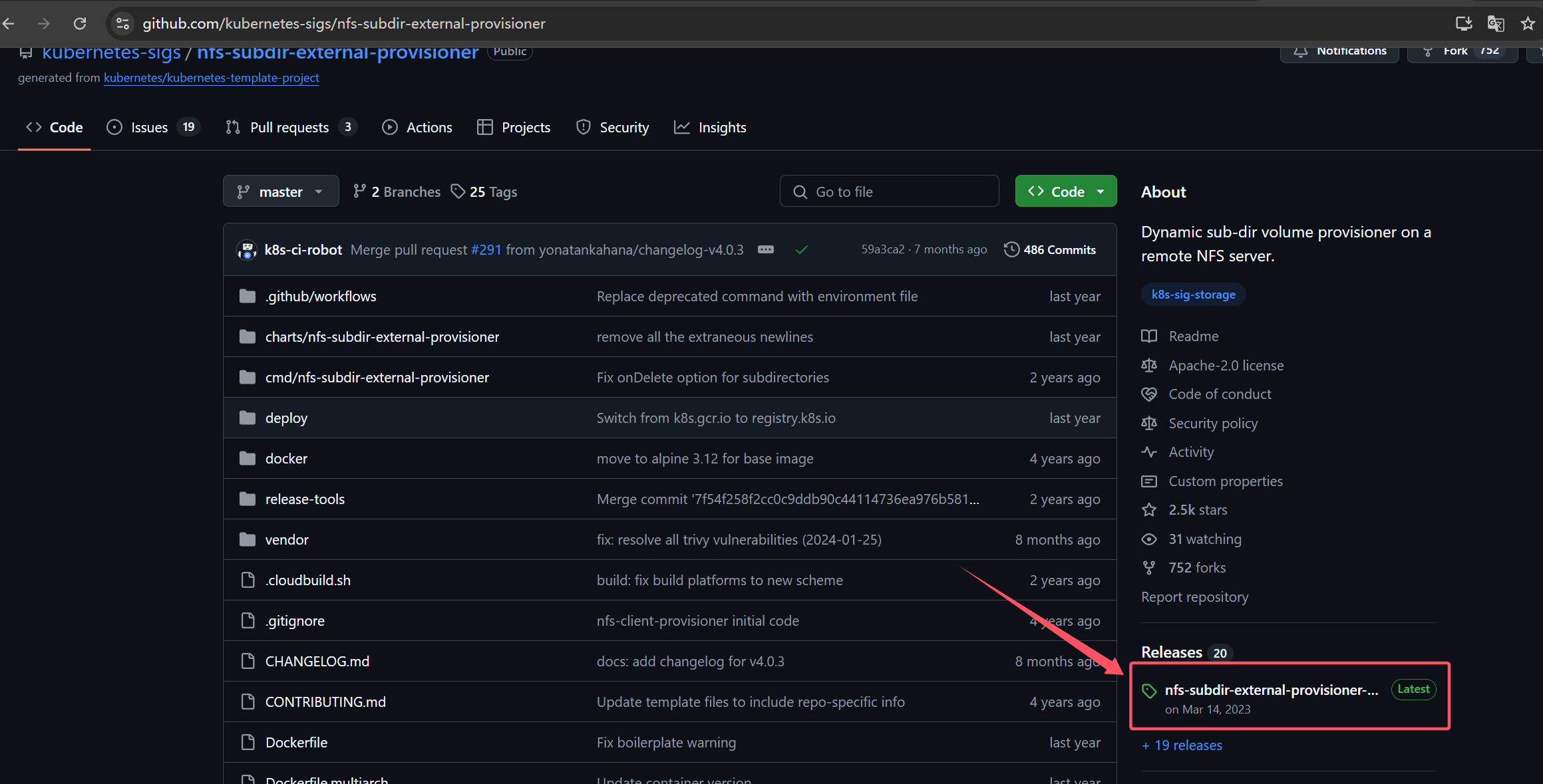
2、Kubernetes集群操作 nfs驱动下载地址:https://github.com/kubernetes-sigs/nfs-subdir-external-provisioner
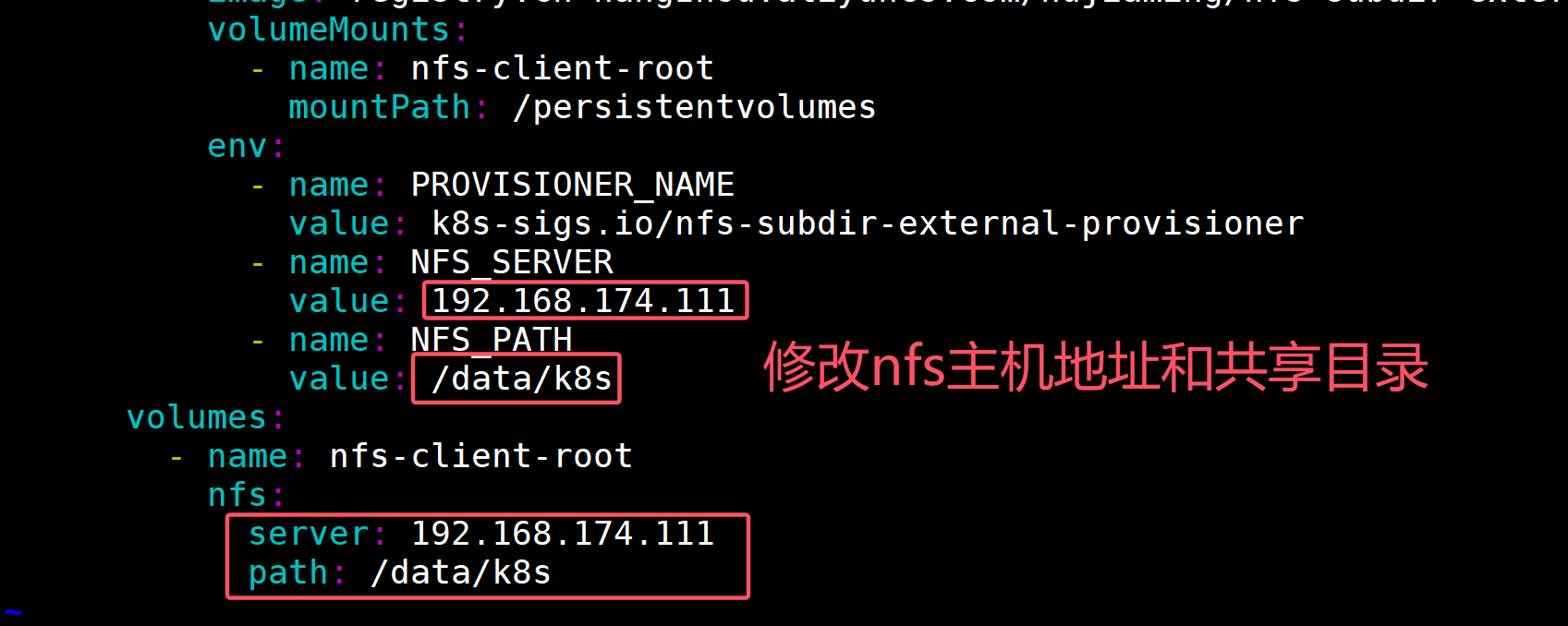
1 2 3 4 5 6 7 8 9 10 11 12 13 14 $ yum install -y nfs-utils $ wget https://github.com/kubernetes-sigs/nfs-subdir-external-provisioner/archive/refs/tags/nfs-subdir-external-provisioner-4.0.18.tar.gz $ tar xf nfs-subdir-external-provisioner-4.0.18.tar.gz $ cd nfs-subdir-external-provisioner-nfs-subdir-external-provisioner-4.0.18/deploy/ $ vim deployment.yaml
1 2 3 4 5 6 7 8 9 10 11 12 13 14 15 16 17 18 19 20 21 22 23 24 25 26 27 28 29 30 31 32 33 34 35 36 37 38 39 40 41 42 43 44 45 46 47 48 49 50 51 52 53 54 55 56 57 58 yamls=$(grep -rl 'namespace: default' ./) for yaml in ${yamls} ; do echo ${yaml} cat ${yaml} | grep 'namespace: default' done $ kubectl create namespace nfs-provisioner --dry-run=client -oyaml > nfs-provisioner-ns.yaml --- apiVersion: v1 kind: Namespace metadata: creationTimestamp: null name: nfs-provisioner spec: {} status: {} $ kubectl get ns | grep nfs nfs-provisioner Active 39s $ sed -i 's/namespace: default/namespace: nfs-provisioner/g' `grep -rl 'namespace: default' ./` $ yamls=$(grep -rl 'namespace: nfs-provisioner' ./) for yaml in ${yamls} ; do echo ${yaml} cat ${yaml} | grep 'namespace: nfs-provisioner' done $ kubectl create -k . storageclass.storage.k8s.io/nfs-client created serviceaccount/nfs-client-provisioner created role.rbac.authorization.k8s.io/leader-locking-nfs-client-provisioner created clusterrole.rbac.authorization.k8s.io/nfs-client-provisioner-runner created rolebinding.rbac.authorization.k8s.io/leader-locking-nfs-client-provisioner created clusterrolebinding.rbac.authorization.k8s.io/run-nfs-client-provisioner created deployment.apps/nfs-client-provisioner created $ kubectl get all -n nfs-provisioner NAME READY STATUS RESTARTS AGE pod/nfs-client-provisioner-5844696d4f-8hd28 1/1 Running 0 96s NAME READY UP-TO-DATE AVAILABLE AGE deployment.apps/nfs-client-provisioner 1/1 1 1 96s NAME DESIRED CURRENT READY AGE replicaset.apps/nfs-client-provisioner-5844696d4f 1 1 1 96s kubectl get sc NAME PROVISIONER RECLAIMPOLICY VOLUMEBINDINGMODE ALLOWVOLUMEEXPANSION AGE nfs-client k8s-sigs.io/nfs-subdir-external-provisioner Delete Immediate false 2m58s
1 2 3 4 5 6 7 8 9 10 11 12 13 14 15 16 17 18 19 20 21 22 23 24 25 26 27 28 29 30 31 32 33 34 35 36 37 38 39 40 41 42 43 44 45 46 47 48 49 50 $ vim test-sc.yaml --- apiVersion: v1 kind: Service metadata: name: nginx labels: app: nginx spec: ports: - port: 80 name: nginx clusterIP: None selector: app: nginx --- apiVersion: apps/v1 kind: StatefulSet metadata: name: nginx spec: selector: matchLabels: app: nginx serviceName: "nginx" replicas: 3 template: metadata: labels: app: nginx spec: containers: - name: nginx image: registry.cn-hangzhou.aliyuncs.com/hujiaming/nginx:1.26.0 ports: - containerPort: 80 name: nginx volumeMounts: - name: www mountPath: /tmp volumeClaimTemplates: - metadata: name: www spec: accessModes: [ "ReadWriteOnce" ] storageClassName: "nfs-client" resources: requests: storage: 1Gi
1 2 3 4 5 6 7 8 9 10 11 12 13 14 15 16 17 18 19 20 21 22 $ kubectl create -f test -sc.yaml $ kubectl get po -l app=nginx NAME READY STATUS RESTARTS AGE nginx-0 1/1 Running 0 3m19s nginx-1 1/1 Running 0 2m55s nginx-2 1/1 Running 0 2m30s $ kubectl get pvc,pv NAME STATUS VOLUME CAPACITY ACCESS MODES STORAGECLASS AGE persistentvolumeclaim/www-nginx-0 Bound pvc-9e6dda2a-272f-4378-bfce-89a6539ddb7a 1Gi RWO nfs-client 4m11s persistentvolumeclaim/www-nginx-1 Bound pvc-166f3ff2-5d9f-4dc2-9692-a652e81ee1fd 1Gi RWO nfs-client 3m47s persistentvolumeclaim/www-nginx-2 Bound pvc-7dd6504c-1a14-42fe-8d2f-3b563d9488f1 1Gi RWO nfs-client 3m22s NAME CAPACITY ACCESS MODES RECLAIM POLICY STATUS CLAIM STORAGECLASS REASON AGE persistentvolume/pvc-166f3ff2-5d9f-4dc2-9692-a652e81ee1fd 1Gi RWO Delete Bound default/www-nginx-1 nfs-client 3m47s persistentvolume/pvc-7dd6504c-1a14-42fe-8d2f-3b563d9488f1 1Gi RWO Delete Bound default/www-nginx-2 nfs-client 3m21s persistentvolume/pvc-9e6dda2a-272f-4378-bfce-89a6539ddb7a 1Gi RWO Delete Bound default/www-nginx-0 nfs-client 4m11s
提示:由于在sc资源清单中设置得默认得回收策略是delete,当删除pvc时自动删除pv。
1 2 3 4 5 6 7 8 $ kubectl delete -f test -sc.yaml $ kubectl delete pvc www-nginx-0 www-nginx-1 www-nginx-2 persistentvolumeclaim "www-nginx-0" deleted persistentvolumeclaim "www-nginx-1" deleted persistentvolumeclaim "www-nginx-2" deleted
至此nfs动态存储已经部署完成!
二、MySQL8.0一主两从集群容器化部署 1. 创建namespace 1 2 3 4 5 6 7 8 9 10 11 12 13 14 15 16 17 18 19 $ kubectl create ns cloud --dry-run=client -oyaml > cloud-ns.yaml --- apiVersion: v1 kind: Namespace metadata: creationTimestamp: null name: cloud spec: {} status: {} $ kubectl create -f cloud-ns.yaml namespace/cloud created $ kubectl get ns | grep cloud cloud Active 35s
2. 创建存放MySQL密码secret 1 2 3 4 5 6 7 8 9 10 11 12 13 14 15 16 17 18 19 20 21 22 $ kubectl create secret generic mysql-password --namespace=cloud --from-literal=mysql_root_password=root --dry-run=client -oyaml > mysqlpass-secret.yaml --- apiVersion: v1 data: mysql_root_password: cm9vdA== kind: Secret metadata: creationTimestamp: null name: mysql-password namespace: cloud $ kubectl create -f mysqlpass-secret.yaml secret/mysql-password created $ kubectl get secret -n cloud NAME TYPE DATA AGE default-token-hb6pl kubernetes.io/service-account-token 3 4m32s mysql-password Opaque 1 12s
3. 创建MySQL-master节点configmap配置文件 1 2 3 4 5 6 7 8 9 10 11 12 13 14 15 16 17 18 19 20 21 22 23 24 25 26 27 28 29 30 31 32 33 34 35 36 37 38 39 40 41 42 43 44 45 46 47 48 49 50 51 52 53 54 55 56 57 58 59 60 61 62 63 64 65 66 67 68 $ vim my.cnf [mysqld] skip-host-cache skip-name-resolve datadir = /var/lib/mysql socket = /var/run/mysqld/mysqld.sock secure-file-priv = /var/lib/mysql-files pid-file = /var/run/mysqld/mysqld.pid user = mysql secure-file-priv = NULL server-id = 1 log -bin = master-binlog_bin_index = master-bin.index binlog_ignore_db = information_schema binlog_ignore_db = mysql binlog_ignore_db = performance_schema binlog_ignore_db = sys binlog-format = ROW [client] socket = /var/run/mysqld/mysqld.sock !includedir /etc/mysql/conf.d/ $ kubectl create configmap mysql-master-cm -n cloud --from-file=my.cnf --dry-run=client -o yaml > mysqlmaster-confmap.yaml --- apiVersion: v1 data: my.cnf: | [mysqld] skip-host-cache skip-name-resolve datadir = /var/lib/mysql socket = /var/run/mysqld/mysqld.sock secure-file-priv = /var/lib/mysql-files pid-file = /var/run/mysqld/mysqld.pid user = mysql secure-file-priv = NULL server-id = 1 log -bin = master-bin log_bin_index = master-bin.index binlog_ignore_db = information_schema binlog_ignore_db = mysql binlog_ignore_db = performance_schema binlog_ignore_db = sys binlog-format = ROW [client] socket = /var/run/mysqld/mysqld.sock !includedir /etc/mysql/conf.d/ kind: ConfigMap metadata: creationTimestamp: null name: mysql-master-cm namespace: cloud $ kubectl create -f mysqlmaster-confmap.yaml configmap/mysql-master-cm created $ kubectl get cm -n cloud | grep mysql mysql-master-cm 1 33s
4. 创建MySQL主节点 1 2 3 4 5 6 7 8 9 10 11 12 13 14 15 16 17 18 19 20 21 22 23 24 25 26 27 28 29 30 31 32 33 34 35 36 37 38 39 40 41 42 43 44 45 46 47 48 49 50 51 52 53 54 55 56 57 58 59 60 61 62 63 64 65 66 67 68 69 70 71 72 73 74 75 76 77 78 79 80 81 82 83 84 85 86 87 88 89 90 91 92 93 94 95 96 97 98 99 100 101 102 $ vim mysql-master-sts.yaml --- apiVersion: v1 kind: Service metadata: name: deploy-mysql-master-svc namespace: cloud labels: app: mysql-master spec: ports: - port: 3306 name: mysql targetPort: 3306 nodePort: 30306 selector: app: mysql-master type: NodePort sessionAffinity: ClientIP --- apiVersion: apps/v1 kind: StatefulSet metadata: name: deploy-mysql-master namespace: cloud spec: selector: matchLabels: app: mysql-master serviceName: "deploy-mysql-master-svc" replicas: 1 template: metadata: labels: app: mysql-master spec: terminationGracePeriodSeconds: 10 containers: - args: - --character-set-server=utf8mb4 - --collation-server=utf8mb4_unicode_ci - --lower_case_table_names=1 - --default-time_zone=+8:00 name: mysql image: registry.cn-hangzhou.aliyuncs.com/hujiaming/mysql:8.0.34 ports: - containerPort: 3306 name: mysql volumeMounts: - name: mysql-data mountPath: /var/lib/mysql - name: mysql-conf mountPath: /etc/my.cnf readOnly: true subPath: my.cnf env: - name: MYSQL_ROOT_PASSWORD valueFrom: secretKeyRef: key: mysql_root_password name: mysql-password volumes: - name: mysql-conf configMap: name: mysql-master-cm items: - key: my.cnf mode: 0644 path: my.cnf volumeClaimTemplates: - metadata: name: mysql-data spec: accessModes: [ "ReadWriteOnce" ] storageClassName: "nfs-client" resources: requests: storage: 1Gi $ kubectl create -f mysql-master-sts.yaml service/deploy-mysql-master-svc created statefulset.apps/deploy-mysql-master created $ kubectl get po -n cloud NAME READY STATUS RESTARTS AGE deploy-mysql-master-0 1 /1 Running 0 56s $ kubectl get pvc,pv -n cloud NAME STATUS VOLUME CAPACITY ACCESS MODES STORAGECLASS AGE persistentvolumeclaim/mysql-data-deploy-mysql-master-0 Bound pvc-43325493-08a6-4aea-92db-491d7cf578d5 1Gi RWO nfs-client 2m NAME CAPACITY ACCESS MODES RECLAIM POLICY STATUS CLAIM STORAGECLASS REASON AGE persistentvolume/pvc-43325493-08a6-4aea-92db-491d7cf578d5 1Gi RWO Delete Bound cloud/mysql-data-deploy-mysql-master-0 nfs-client 2m
5. nfs服务器查看挂载目录(nfs-server主机操作) 1 2 $ cd /data/k8s/cloud-mysql-data-deploy-mysql-master-0-pvc-43325493-08a6-4aea-92db-491d7cf578d5/
6. 部署第一个mysql-slave节点 1 2 3 4 5 6 7 8 9 10 11 12 13 14 15 16 17 18 19 20 21 22 23 24 25 26 27 28 29 30 31 32 33 34 35 36 37 38 39 40 41 42 43 44 45 46 47 48 49 50 51 52 53 54 55 56 57 58 59 60 61 62 63 64 65 66 67 68 $ mkdik mysql-slave01 $ cd mysql-slave01 $ vim my.cnf [mysqld] skip-host-cache skip-name-resolve datadir = /var/lib/mysql socket = /var/run/mysqld/mysqld.sock secure-file-priv = /var/lib/mysql-files pid-file = /var/run/mysqld/mysqld.pid user = mysql secure-file-priv = NULL server-id = 2 log -bin = slave-binrelay-log = slave-relay-bin relay-log-index = slave-relay-bin.index [client] socket = /var/run/mysqld/mysqld.sock !includedir /etc/mysql/conf.d/ $ kubectl create configmap mysql-slave-01-cm -n cloud --from-file=my.cnf --dry-run=client -o yaml > mysql-slave-01-cm.yaml --- apiVersion: v1 data: my.cnf: | [mysqld] skip-host-cache skip-name-resolve datadir = /var/lib/mysql socket = /var/run/mysqld/mysqld.sock secure-file-priv = /var/lib/mysql-files pid-file = /var/run/mysqld/mysqld.pid user = mysql secure-file-priv = NULL server-id = 2 log -bin = slave-bin relay-log = slave-relay-bin relay-log-index = slave-relay-bin.index [client] socket = /var/run/mysqld/mysqld.sock !includedir /etc/mysql/conf.d/ kind: ConfigMap metadata: creationTimestamp: null name: mysql-slave-01-cm namespace: cloud $ kubectl create -f mysql-slave-01-cm.yaml configmap/mysql-slave-01-cm created $ kubectl get cm -n cloud NAME DATA AGE kube-root-ca.crt 1 33m mysql-master-cm 1 24m mysql-slave-01-cm 1 29s
7. 创建mysql-slave01节点 1 2 3 4 5 6 7 8 9 10 11 12 13 14 15 16 17 18 19 20 21 22 23 24 25 26 27 28 29 30 31 32 33 34 35 36 37 38 39 40 41 42 43 44 45 46 47 48 49 50 51 52 53 54 55 56 57 58 59 60 61 62 63 64 65 66 67 68 69 70 71 72 73 74 75 76 77 78 79 80 81 82 83 84 85 86 87 88 89 90 91 $ vim mysql-slave01.yaml --- apiVersion: v1 kind: Service metadata: name: deploy-mysql-slave-svc namespace: cloud labels: app: mysql-slave spec: ports: - port: 3306 name: mysql targetPort: 3306 nodePort: 30308 selector: app: mysql-slave type: NodePort sessionAffinity: ClientIP --- apiVersion: apps/v1 kind: StatefulSet metadata: name: deploy-mysql-slave-01 namespace: cloud spec: selector: matchLabels: app: mysql-slave serviceName: "deploy-mysql-slave-svc" replicas: 1 template: metadata: labels: app: mysql-slave spec: terminationGracePeriodSeconds: 10 containers: - args: - --character-set-server=utf8mb4 - --collation-server=utf8mb4_unicode_ci - --lower_case_table_names=1 - --default-time_zone=+8:00 name: mysql image: registry.cn-hangzhou.aliyuncs.com/hujiaming/mysql:8.0.34 ports: - containerPort: 3306 name: mysql volumeMounts: - name: mysql-slave01-data mountPath: /var/lib/mysql - name: mysql-conf mountPath: /etc/my.cnf readOnly: true subPath: my.cnf env: - name: MYSQL_ROOT_PASSWORD valueFrom: secretKeyRef: key: mysql_root_password name: mysql-password volumes: - name: mysql-conf configMap: name: mysql-slave-01-cm items: - key: my.cnf mode: 0644 path: my.cnf volumeClaimTemplates: - metadata: name: mysql-slave01-data spec: accessModes: [ "ReadWriteOnce" ] storageClassName: "nfs-client" resources: requests: storage: 1Gi $ kubectl get -f mysql-slave01.yaml NAME TYPE CLUSTER-IP EXTERNAL-IP PORT(S) AGE service/deploy-mysql-slave-svc NodePort 10.96 .253 .198 <none> 3306 :30308/TCP 3m36s NAME READY AGE statefulset.apps/deploy-mysql-slave-01 1 /1 3m36s
8. 查看nfs挂载目录数据(nfs-server节点查看)
9. 部署第二个mysql-slave02节点 1 2 3 4 5 6 7 8 9 10 11 12 13 14 15 16 17 18 19 20 21 22 23 24 25 26 27 28 29 30 31 32 33 34 35 36 37 38 39 40 41 42 43 44 45 46 47 48 49 50 51 52 53 54 55 56 57 58 59 60 61 62 63 64 65 66 $ cd /root/ && mkdir mysql-slave02 && cd mysql-slave02 $ vim my.cnf [mysqld] skip-host-cache skip-name-resolve datadir = /var/lib/mysql socket = /var/run/mysqld/mysqld.sock secure-file-priv = /var/lib/mysql-files pid-file = /var/run/mysqld/mysqld.pid user = mysql secure-file-priv = NULL server-id = 3 log -bin = slave-binrelay-log = slave-relay-bin relay-log-index = slave-relay-bin.index [client] socket = /var/run/mysqld/mysqld.sock !includedir /etc/mysql/conf.d/ $ kubectl create configmap mysql-slave-02-cm -n cloud --from-file=my.cnf --dry-run=client -o yaml > mysql-slave02-cm.yaml --- apiVersion: v1 data: my.cnf: | [mysqld] skip-host-cache skip-name-resolve datadir = /var/lib/mysql socket = /var/run/mysqld/mysqld.sock secure-file-priv = /var/lib/mysql-files pid-file = /var/run/mysqld/mysqld.pid user = mysql secure-file-priv = NULL server-id = 3 log -bin = slave-bin relay-log = slave-relay-bin relay-log-index = slave-relay-bin.index [client] socket = /var/run/mysqld/mysqld.sock !includedir /etc/mysql/conf.d/ kind: ConfigMap metadata: creationTimestamp: null name: mysql-slave-02-cm namespace: cloud $ kubectl create -f mysql-slave02-cm.yaml configmap/mysql-slave-02-cm created $ kubectl get cm -n cloud NAME DATA AGE kube-root-ca.crt 1 57m mysql-master-cm 1 47m mysql-slave-01-cm 1 24m mysql-slave-02-cm 1 36s
10. 创建mysql-slave02节点 1 2 3 4 5 6 7 8 9 10 11 12 13 14 15 16 17 18 19 20 21 22 23 24 25 26 27 28 29 30 31 32 33 34 35 36 37 38 39 40 41 42 43 44 45 46 47 48 49 50 51 52 53 54 55 56 57 58 59 60 61 62 63 64 65 66 67 68 69 70 71 72 73 74 75 $ mysql-slave02-sts.yaml --- apiVersion: apps/v1 kind: StatefulSet metadata: name: deploy-mysql-slave-02 namespace: cloud spec: selector: matchLabels: app: mysql-slave-02 serviceName: "deploy-mysql-slave-svc" replicas: 1 template: metadata: labels: app: mysql-slave-02 spec: terminationGracePeriodSeconds: 10 containers: - args: - --character-set-server=utf8mb4 - --collation-server=utf8mb4_unicode_ci - --lower_case_table_names=1 - --default-time_zone=+8:00 name: mysql image: registry.cn-hangzhou.aliyuncs.com/hujiaming/mysql:8.0.34 ports: - containerPort: 3306 name: mysql volumeMounts: - name: mysql-slave02-data mountPath: /var/lib/mysql - name: mysql-conf mountPath: /etc/my.cnf readOnly: true subPath: my.cnf env: - name: MYSQL_ROOT_PASSWORD valueFrom: secretKeyRef: key: mysql_root_password name: mysql-password volumes: - name: mysql-conf configMap: name: mysql-slave-02-cm items: - key: my.cnf mode: 0644 path: my.cnf volumeClaimTemplates: - metadata: name: mysql-slave02-data spec: accessModes: [ "ReadWriteOnce" ] storageClassName: "nfs-client" resources: requests: storage: 1Gi $ kubectl create -f mysql-slave02-sts.yaml statefulset.apps/deploy-mysql-slave-02 created $ kubectl get po -n cloud NAME READY STATUS RESTARTS AGE deploy-mysql-master-0 1 /1 Running 0 43m deploy-mysql-slave-01-0 1 /1 Running 0 24m deploy-mysql-slave-02-0 1 /1 Running 0 94s
11. 三台MySQL组成集群 11.1 查看主节点状态信息 1 2 3 4 5 6 7 $ kubectl exec -it deploy-mysql-master-0 -n cloud -- bash bash-4.4 mysql> show master status;
11.2 两台mysql-slave节点连接master节点 1 change master to master_host='deploy-mysql-master-0.deploy-mysql-master-svc.cloud.svc.cluster.local' , master_port=3306, master_user='root' , master_password='root' , master_log_file='master-bin.000003' , master_log_pos=157, master_connect_retry=30, get_master_public_key=1;
命令参数如下:
master_host : 这个参数是master的地址,kubernetes提供的解析规则是pod名称.service名称.命名空间.svc.cluster.local。master_port : 主节点的mysql端口,我们没改默认是3306。master_user : 登录到主节点的mysql用户。master_password : 登录到主节点要用到的密码。master_log_file : 我们之前查看mysql主节点状态时候的 File 字段。master_log_pos : 我们之前查看mysql主节点状态时候的 Position 字段。master_connect_retry : 主节点重连时间。get_master_public_key : 连接主mysql的公钥获取方式。
11.3 mysql-slave01执行命令连接master容器 1 2 3 4 5 6 7 8 9 10 11 12 13 14 15 16 17 18 19 20 21 22 23 24 25 26 27 28 29 30 31 32 33 34 35 36 37 38 39 40 41 42 43 44 45 46 47 48 49 50 51 52 53 54 55 56 57 58 59 60 61 62 63 64 65 66 67 68 69 70 71 72 73 74 75 76 77 78 79 80 81 82 83 $ kubectl get po -n cloud NAME READY STATUS RESTARTS AGE deploy-mysql-master-0 1/1 Running 0 55m deploy-mysql-slave-01-0 1/1 Running 0 37m deploy-mysql-slave-02-0 1/1 Running 0 14m $ kubectl exec -it deploy-mysql-slave-01-0 -n cloud -- bash bash-4.4 mysql> change master to master_host='deploy-mysql-master-0.deploy-mysql-master-svc.cloud.svc.cluster.local' , master_port=3306, master_user='root' , master_password='root' , master_log_file='master-bin.000005' , master_log_pos=157, master_connect_retry=30, get_master_public_key=1; Query OK, 0 rows affected, 11 warnings (0.12 sec) mysql> start slave; Query OK, 0 rows affected, 1 warning (0.03 sec) mysql> show slave status\G *************************** 1. row *************************** Slave_IO_State: Waiting for source to send event Master_Host: deploy-mysql-master-0.deploy-mysql-master-svc.cloud.svc.cluster.local Master_User: root Master_Port: 3306 Connect_Retry: 30 Master_Log_File: master-bin.000003 Read_Master_Log_Pos: 157 Relay_Log_File: slave-relay-bin.000002 Relay_Log_Pos: 327 Relay_Master_Log_File: master-bin.000003 Slave_IO_Running: Yes Slave_SQL_Running: Yes Replicate_Do_DB: Replicate_Ignore_DB: Replicate_Do_Table: Replicate_Ignore_Table: Replicate_Wild_Do_Table: Replicate_Wild_Ignore_Table: Last_Errno: 0 Last_Error: Skip_Counter: 0 Exec_Master_Log_Pos: 157 Relay_Log_Space: 537 Until_Condition: None Until_Log_File: Until_Log_Pos: 0 Master_SSL_Allowed: No Master_SSL_CA_File: Master_SSL_CA_Path: Master_SSL_Cert: Master_SSL_Cipher: Master_SSL_Key: Seconds_Behind_Master: 0 Master_SSL_Verify_Server_Cert: No Last_IO_Errno: 0 Last_IO_Error: Last_SQL_Errno: 0 Last_SQL_Error: Replicate_Ignore_Server_Ids: Master_Server_Id: 1 Master_UUID: 9f372890-7985-11ef-8931-7a8c0cecaa4a Master_Info_File: mysql.slave_master_info SQL_Delay: 0 SQL_Remaining_Delay: NULL Slave_SQL_Running_State: Replica has read all relay log ; waiting for more updates Master_Retry_Count: 86400 Master_Bind: Last_IO_Error_Timestamp: Last_SQL_Error_Timestamp: Master_SSL_Crl: Master_SSL_Crlpath: Retrieved_Gtid_Set: Executed_Gtid_Set: Auto_Position: 0 Replicate_Rewrite_DB: Channel_Name: Master_TLS_Version: Master_public_key_path: Get_master_public_key: 1 Network_Namespace: 1 row in set , 1 warning (0.00 sec)
11.4 mysql-slave02执行命令连接mater容器 1 2 3 4 5 6 7 8 9 10 11 12 13 14 15 16 17 18 19 20 21 22 23 24 25 26 27 28 29 30 31 32 33 34 35 36 37 38 39 40 41 42 43 44 45 46 47 48 49 50 51 52 53 54 55 56 57 58 59 60 61 62 63 64 65 66 67 68 69 70 71 72 73 74 75 76 77 78 79 80 81 82 83 $ kubectl get po -n cloud NAME READY STATUS RESTARTS AGE deploy-mysql-master-0 1/1 Running 0 66m deploy-mysql-slave-01-0 1/1 Running 0 48m deploy-mysql-slave-02-0 1/1 Running 0 24m $ kubectl exec -it deploy-mysql-slave-02-0 -n cloud -- bash $ bash-4.4 mysql> change master to master_host='deploy-mysql-master-0.deploy-mysql-master-svc.cloud.svc.cluster.local' , master_port=3306, master_user='root' , master_password='root' , master_log_file='master-bin.000005' , master_log_pos=157, master_connect_retry=30, get_master_public_key=1; Query OK, 0 rows affected, 11 warnings (0.12 sec) mysql> start slave; Query OK, 0 rows affected, 1 warning (0.03 sec) mysql> show slave status\G *************************** 1. row *************************** Slave_IO_State: Waiting for source to send event Master_Host: deploy-mysql-master-0.deploy-mysql-master-svc.cloud.svc.cluster.local Master_User: root Master_Port: 3306 Connect_Retry: 30 Master_Log_File: master-bin.000003 Read_Master_Log_Pos: 157 Relay_Log_File: slave-relay-bin.000002 Relay_Log_Pos: 327 Relay_Master_Log_File: master-bin.000003 Slave_IO_Running: Yes Slave_SQL_Running: Yes Replicate_Do_DB: Replicate_Ignore_DB: Replicate_Do_Table: Replicate_Ignore_Table: Replicate_Wild_Do_Table: Replicate_Wild_Ignore_Table: Last_Errno: 0 Last_Error: Skip_Counter: 0 Exec_Master_Log_Pos: 157 Relay_Log_Space: 537 Until_Condition: None Until_Log_File: Until_Log_Pos: 0 Master_SSL_Allowed: No Master_SSL_CA_File: Master_SSL_CA_Path: Master_SSL_Cert: Master_SSL_Cipher: Master_SSL_Key: Seconds_Behind_Master: 0 Master_SSL_Verify_Server_Cert: No Last_IO_Errno: 0 Last_IO_Error: Last_SQL_Errno: 0 Last_SQL_Error: Replicate_Ignore_Server_Ids: Master_Server_Id: 1 Master_UUID: 9f372890-7985-11ef-8931-7a8c0cecaa4a Master_Info_File: mysql.slave_master_info SQL_Delay: 0 SQL_Remaining_Delay: NULL Slave_SQL_Running_State: Replica has read all relay log ; waiting for more updates Master_Retry_Count: 86400 Master_Bind: Last_IO_Error_Timestamp: Last_SQL_Error_Timestamp: Master_SSL_Crl: Master_SSL_Crlpath: Retrieved_Gtid_Set: Executed_Gtid_Set: Auto_Position: 0 Replicate_Rewrite_DB: Channel_Name: Master_TLS_Version: Master_public_key_path: Get_master_public_key: 1 Network_Namespace: 1 row in set , 1 warning (0.00 sec)
12. 测试MySQL主从集群 1 2 3 4 5 6 7 8 9 10 11 12 13 14 15 16 17 18 19 20 21 22 23 24 25 26 27 28 29 30 31 32 33 34 35 36 37 38 39 40 41 42 43 44 45 46 47 48 49 50 51 $ kubectl get po -n cloud NAME READY STATUS RESTARTS AGE deploy-mysql-master-0 1/1 Running 0 69m deploy-mysql-slave-01-0 1/1 Running 0 51m deploy-mysql-slave-02-0 1/1 Running 0 28m $ kubectl exec -it deploy-mysql-master-0 -n cloud -- bash bash-4.4 mysql> CREATE DATABASE `cloud`; mysql> show databases; +--------------------+ | Database | +--------------------+ | information_schema | | mysql | | performance_schema | | sys | | cloud | +--------------------+ 5 rows in set (0.00 sec) $ kubectl get po -n cloud NAME READY STATUS RESTARTS AGE deploy-mysql-master-0 1/1 Running 0 74m deploy-mysql-slave-01-0 1/1 Running 0 56m deploy-mysql-slave-02-0 1/1 Running 0 32m $ kubectl exec -it deploy-mysql-slave-01-0 -n cloud -- bash bash-4.4 mysql> show databases; +--------------------+ | Database | +--------------------+ | information_schema | | mysql | | performance_schema | | sys | | cloud | +--------------------+ 5 rows in set (0.00 sec)
三、Redis三主三从cluster集群部署 1. redis cluster集群初始化
1 2 3 4 5 6 7 8 9 10 11 12 13 14 15 16 17 18 19 20 21 22 23 24 25 26 27 $ vim redis.conf protected-mode no loglevel warning logfile "/data/redis.log" dir /data dbfilename dump.rdb databases 16 save 900 1 save 300 10 save 60 10000 cluster-enabled yes cluster-config-file nodes-6379.conf cluster-node-timeout 15000
1 2 3 4 5 6 7 8 9 10 11 12 13 14 15 16 17 18 19 20 21 22 23 24 25 26 27 28 29 30 31 32 33 34 35 36 37 38 39 40 41 42 43 44 45 46 47 48 49 50 51 $ kubectl create configmap redis-cluster-config --from-file=redis.conf -n cloud --dry-run=client -o yaml > redis-conf-cm.yaml --- apiVersion: v1 data: redis.conf: |+ protected-mode no loglevel warning logfile "/data/redis.log" dir /data dbfilename dump.rdb databases 16 save 900 1 save 300 10 save 60 10000 cluster-enabled yes cluster-config-file nodes-6379.conf cluster-node-timeout 15000 kind: ConfigMap metadata: creationTimestamp: null name: redis-cluster-config namespace: cloud $ kubectl create -f redis-conf-cm.yaml configmap/redis-cluster-config created $ kubectl get cm -n cloud NAME DATA AGE kube-root-ca.crt 1 4h18m mysql-master-cm 1 4h8m mysql-slave-01-cm 1 3h44m mysql-slave-02-cm 1 3h20m redis-cluster-config 1 42s
1 2 3 4 5 6 7 8 9 10 11 12 13 14 15 16 17 18 19 20 21 22 23 24 25 26 27 28 29 30 31 32 33 34 35 36 37 38 39 40 41 42 43 44 45 46 47 48 49 50 51 52 53 54 55 56 57 58 59 60 61 62 63 64 65 66 67 68 69 70 71 72 73 74 75 76 77 78 79 80 81 82 83 84 85 86 87 88 89 90 91 92 93 94 95 96 97 $ vim redis-cluster.yaml --- apiVersion: v1 kind: Service metadata: name: deploy-redis-svc namespace: cloud labels: app: redis spec: ports: - port: 6379 name: redis targetPort: 6379 nodePort: 30379 selector: app: redis type : NodePort sessionAffinity: ClientIP --- apiVersion: apps/v1 kind: StatefulSet metadata: name: deploy-redis namespace: cloud spec: selector: matchLabels: app: redis serviceName: "deploy-redis-svc" replicas: 6 template: metadata: labels: app: redis spec: terminationGracePeriodSeconds: 10 containers: - command : - "redis-server" - "/usr/local/etc/redis.conf" name: redis image: registry.cn-shenzhen.aliyuncs.com/xiaohh-docker/redis:7.0.12 ports: - containerPort: 6379 name: redis volumeMounts: - name: redis-data mountPath: /data - name: redis-config mountPath: /usr/local /etc readOnly: true volumes: - name: redis-config configMap: name: redis-cluster-config items: - key: redis.conf path: redis.conf volumeClaimTemplates: - metadata: name: redis-data spec: accessModes: - ReadWriteMany resources: requests: storage: 1Gi storageClassName: nfs-client $ kubectl create -f redis-cluster.yaml service/deploy-redis-svc created statefulset.apps/deploy-redis created $ kubectl get po -n cloud -l app=redis NAME READY STATUS RESTARTS AGE deploy-redis-0 1/1 Running 0 7m51s deploy-redis-1 1/1 Running 0 5m50s deploy-redis-2 1/1 Running 0 2m deploy-redis-3 1/1 Running 0 96s deploy-redis-4 1/1 Running 0 91s deploy-redis-5 1/1 Running 0 68s
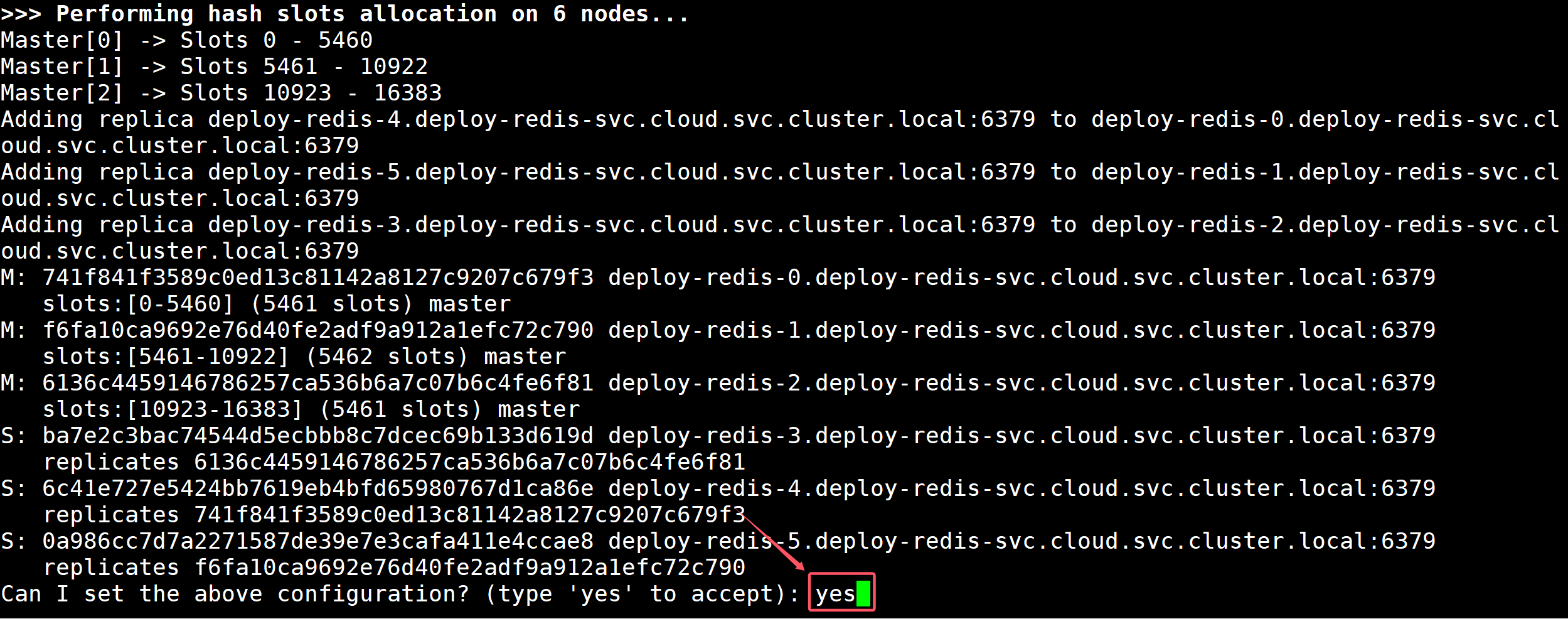
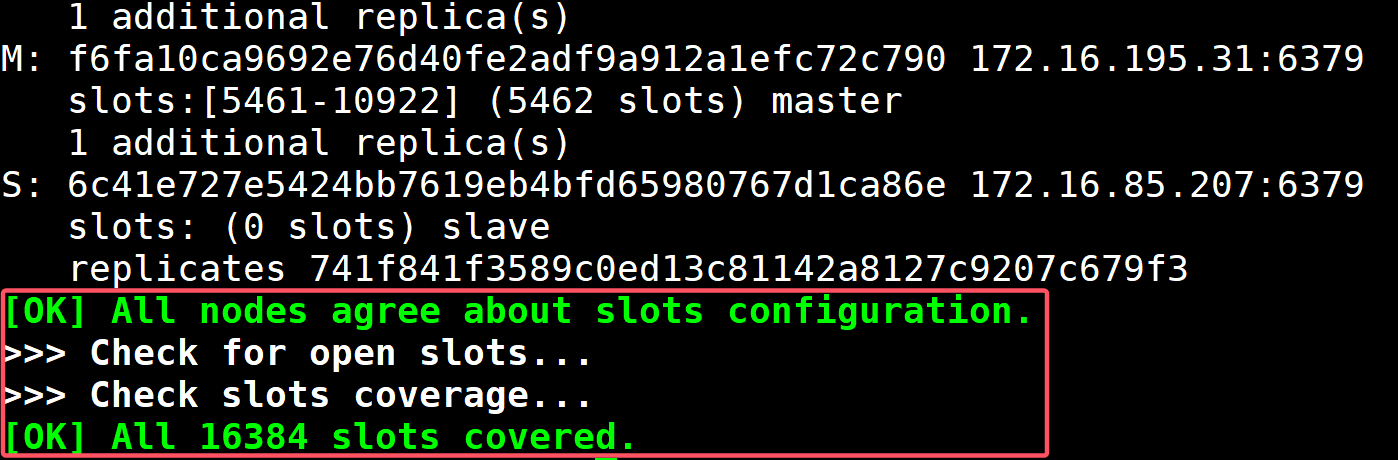
2. redis cluster集群组建 1 2 3 4 5 6 7 8 9 10 11 $ kubectl exec -it deploy-redis-0 -n cloud -- bash root@deploy-redis-0:/data deploy-redis-0.deploy-redis-svc.cloud.svc.cluster.local:6379 \ deploy-redis-1.deploy-redis-svc.cloud.svc.cluster.local:6379 \ deploy-redis-2.deploy-redis-svc.cloud.svc.cluster.local:6379 \ deploy-redis-3.deploy-redis-svc.cloud.svc.cluster.local:6379 \ deploy-redis-4.deploy-redis-svc.cloud.svc.cluster.local:6379 \ deploy-redis-5.deploy-redis-svc.cloud.svc.cluster.local:6379
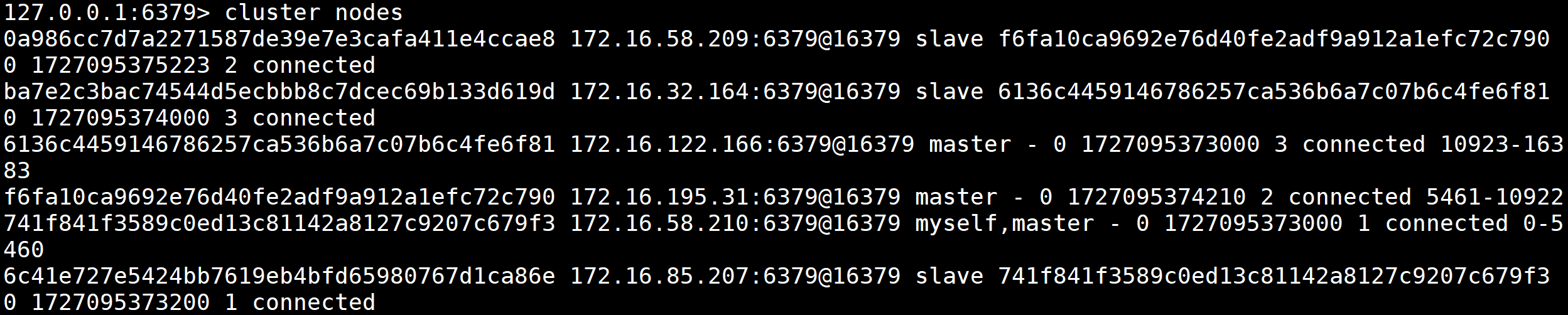
3. redis cluster集群测试 1 2 3 root@deploy-redis-0:/data 127.0.0.1:6379> cluster nodes
四、Nocas集群部署 1. 创建数据库(此数据包含了nacos配置文件表) 1 2 3 4 5 6 7 8 9 10 11 12 13 14 15 16 17 18 19 20 21 22 23 24 25 26 27 28 29 30 31 32 33 34 35 36 37 38 39 40 41 42 43 44 45 46 47 48 49 50 51 52 53 54 55 56 57 58 59 60 61 62 63 64 65 66 67 68 69 70 71 72 73 74 75 76 77 78 79 80 81 82 83 84 85 86 87 88 89 90 91 92 93 94 95 96 97 98 99 100 101 102 103 104 105 106 107 108 109 110 111 112 113 114 115 116 117 118 119 120 121 122 123 124 125 126 127 128 129 130 $ vim nacos-mysql.yaml --- apiVersion: v1 kind: Service metadata: name: deploy-mysql-nacos-svc namespace: cloud labels: app: mysql-nacos spec: ports: - port: 3306 name: mysql targetPort: 3306 nodePort: 30310 selector: app: mysql-nacos type : NodePort sessionAffinity: ClientIP --- apiVersion: apps/v1 kind: StatefulSet metadata: name: deploy-mysql-nacos namespace: cloud spec: selector: matchLabels: app: mysql-nacos serviceName: "deploy-mysql-nacos-svc" replicas: 1 template: metadata: labels: app: mysql-nacos spec: terminationGracePeriodSeconds: 10 containers: - args: - --character-set-server=utf8mb4 - --collation-server=utf8mb4_unicode_ci - --lower_case_table_names=1 - --default-time_zone=+8:00 name: mysql image: registry.cn-hangzhou.aliyuncs.com/hujiaming/nacos-mysql:2.0.4 ports: - containerPort: 3306 name: mysql volumeMounts: - name: nacos-mysql-data mountPath: /var/lib/mysql env: - name: MYSQL_ROOT_PASSWORD valueFrom: secretKeyRef: key: mysql_root_password name: mysql-password volumeClaimTemplates: - metadata: name: nacos-mysql-data spec: accessModes: - ReadWriteMany resources: requests: storage: 1Gi storageClassName: nfs-client $ kubectl create -f nacos-mysql.yaml service/deploy-mysql-nacos-svc created statefulset.apps/deploy-mysql-nacos created $ kubectl get -f nacos-mysql.yaml NAME TYPE CLUSTER-IP EXTERNAL-IP PORT(S) AGE service/deploy-mysql-nacos-svc NodePort 10.96.57.28 <none> 3306:30310/TCP 2m22s NAME READY AGE statefulset.apps/deploy-mysql-nacos 1/1 2m22s $ kubectl get po -l app=mysql-nacos -n cloud NAME READY STATUS RESTARTS AGE deploy-mysql-nacos-0 1/1 Running 0 3m40s $ kubectl exec -it deploy-mysql-nacos-0 -n cloud -- bash bash-4.2 mysql> show databases; +--------------------+ | Database | +--------------------+ | information_schema | | mysql | | nacos_config | | performance_schema | | sys | +--------------------+ 5 rows in set (0.02 sec) mysql> use nacos_config; mysql> show tables; +------------------------+ | Tables_in_nacos_config | +------------------------+ | config_info | | config_info_aggr | | config_info_beta | | config_info_tag | | config_tags_relation | | group_capacity | | his_config_info | | permissions | | roles | | tenant_capacity | | tenant_info | | users | +------------------------+ 12 rows in set (0.00 sec)
2. 创建nacos configmap 1 2 3 4 5 6 7 8 9 10 11 12 13 14 15 16 17 18 19 20 21 22 23 24 $ kubectl create configmap nacos-deploy-config -n cloud \ --from-literal=mode=cluster \ --from-literal=nacos-servers='deploy-nacos-0.deploy-nacos-svc.cloud.svc.cluster.local:8848 deploy-nacos-1.deploy-nacos-svc.cloud.svc.cluster.local:8848 deploy-nacos-2.deploy-nacos-svc.cloud.svc.cluster.local:8848' \ --from-literal=spring-datasource-platform=mysql \ --from-literal=mysql-service-host='deploy-mysql-nacos-0.deploy-mysql-nacos-svc.cloud.svc.cluster.local' \ --from-literal=mysql-service-port=3306 \ --from-literal=mysql-service-db-name=nacos_config \ --from-literal=mysql-service-user=root \ --from-literal=mysql-database-num=1 \ --from-literal=mysql-service-db-param='characterEncoding=utf8&connectTimeout=1000&socketTimeout=3000&autoReconnect=true&useSSL=false' \ --from-literal=jvm-xms=256m \ --from-literal=jvm-xmx=256m \ --from-literal=jvm-xmn=128m \ --dry-run=client -o yaml > nacos-mysql-file-cm.yaml $ kubectl create -f nacos-mysql-file-cm.yaml configmap/nacos-deploy-config created $ kubectl get -f nacos-mysql-file-cm.yaml NAME DATA AGE nacos-deploy-config 12 33s
3. 创建nacos 集群Pod 1 2 3 4 5 6 7 8 9 10 11 12 13 14 15 16 17 18 19 20 21 22 23 24 25 26 27 28 29 30 31 32 33 34 35 36 37 38 39 40 41 42 43 44 45 46 47 48 49 50 51 52 53 54 55 56 57 58 59 60 61 62 63 64 65 66 67 68 69 70 71 72 73 74 75 76 77 78 79 80 81 82 83 84 85 86 87 88 89 90 91 92 93 94 95 96 97 98 99 100 101 102 103 104 105 106 107 108 109 110 111 112 113 114 115 116 117 118 119 120 121 122 123 124 125 126 127 $ vim nacos-sts.yaml --- apiVersion: v1 kind: Service metadata: name: deploy-nacos-svc namespace: cloud labels: app: nacos spec: ports: - port: 8848 name: nacos targetPort: 8848 nodePort: 30848 selector: app: nacos type: NodePort sessionAffinity: ClientIP --- apiVersion: apps/v1 kind: StatefulSet metadata: name: deploy-nacos namespace: cloud spec: selector: matchLabels: app: nacos serviceName: "deploy-nacos-svc" replicas: 3 template: metadata: labels: app: nacos spec: terminationGracePeriodSeconds: 10 containers: - name: nacos image: registry.cn-hangzhou.aliyuncs.com/hujiaming/nacos-server:v2.0.4 ports: - containerPort: 8848 name: nacos env: - name: JVM_XMN valueFrom: configMapKeyRef: key: jvm-xmn name: nacos-deploy-config - name: JVM_XMS valueFrom: configMapKeyRef: key: jvm-xms name: nacos-deploy-config - name: JVM_XMX valueFrom: configMapKeyRef: key: jvm-xmx name: nacos-deploy-config - name: MODE valueFrom: configMapKeyRef: key: mode name: nacos-deploy-config - name: MYSQL_DATABASE_NUM valueFrom: configMapKeyRef: key: mysql-database-num name: nacos-deploy-config - name: MYSQL_SERVICE_DB_NAME valueFrom: configMapKeyRef: key: mysql-service-db-name name: nacos-deploy-config - name: MYSQL_SERVICE_DB_PARAM valueFrom: configMapKeyRef: key: mysql-service-db-param name: nacos-deploy-config - name: MYSQL_SERVICE_HOST valueFrom: configMapKeyRef: key: mysql-service-host name: nacos-deploy-config - name: MYSQL_SERVICE_PASSWORD valueFrom: secretKeyRef: key: mysql_root_password name: mysql-password - name: MYSQL_SERVICE_PORT valueFrom: configMapKeyRef: key: mysql-service-port name: nacos-deploy-config - name: MYSQL_SERVICE_USER valueFrom: configMapKeyRef: key: mysql-service-user name: nacos-deploy-config - name: NACOS_SERVERS valueFrom: configMapKeyRef: key: nacos-servers name: nacos-deploy-config - name: SPRING_DATASOURCE_PLATFORM valueFrom: configMapKeyRef: key: spring-datasource-platform name: nacos-deploy-config $ kubectl create -f nacos-sts.yaml service/deploy-nacos-svc created statefulset.apps/deploy-nacos created $ kubectl get po -n cloud -l app=nacos NAME READY STATUS RESTARTS AGE deploy-nacos-0 1 /1 Running 0 6m17s deploy-nacos-1 1 /1 Running 0 6m14s deploy-nacos-2 1 /1 Running 0 4m13s $ kubectl get svc -n cloud -l app=nacos NAME TYPE CLUSTER-IP EXTERNAL-IP PORT(S) AGE deploy-nacos-svc NodePort 10.96 .32 .82 <none> 8848 :30848/TCP 6m47s
4. 测试nacos集群
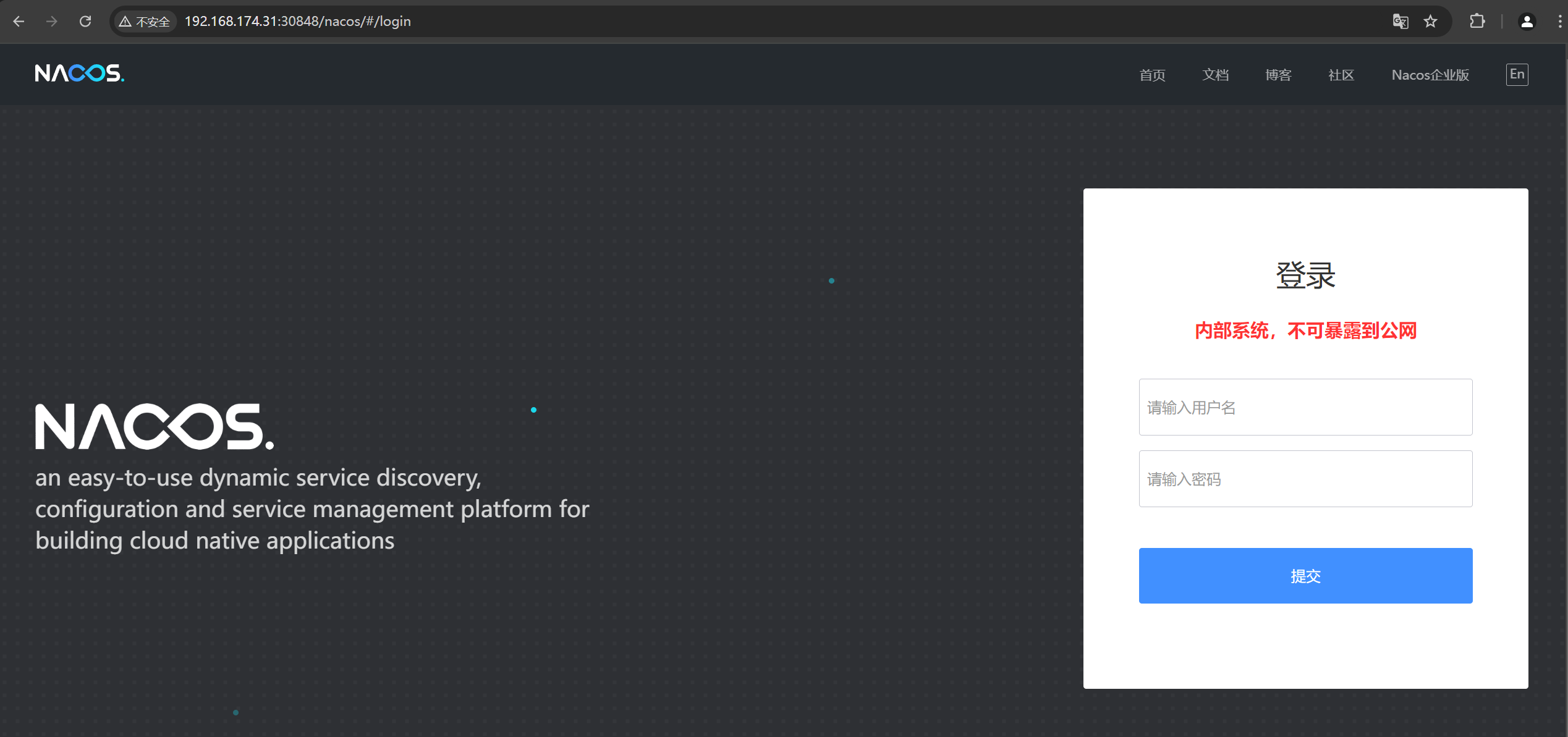
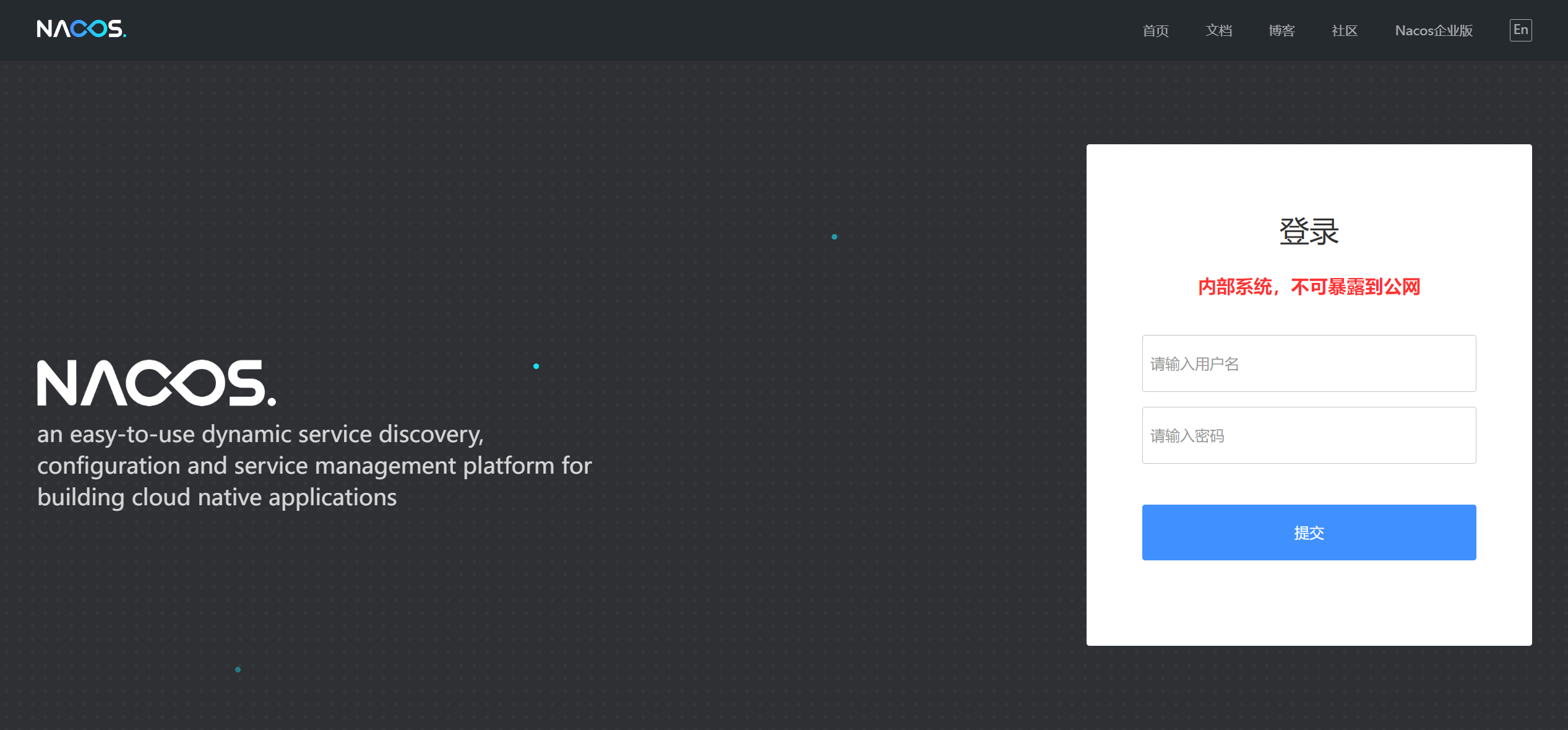
登录nacos web界面
1 2 3 4 $ kubectl get svc -n cloud -l app=nacos NAME TYPE CLUSTER-IP EXTERNAL-IP PORT(S) AGE deploy-nacos-svc NodePort 10.96.32.82 <none> 8848:30848/TCP 6m47s
浏览器访问:http://集群节点IP+30848/nacos
用户名:nacos 密码:nacos
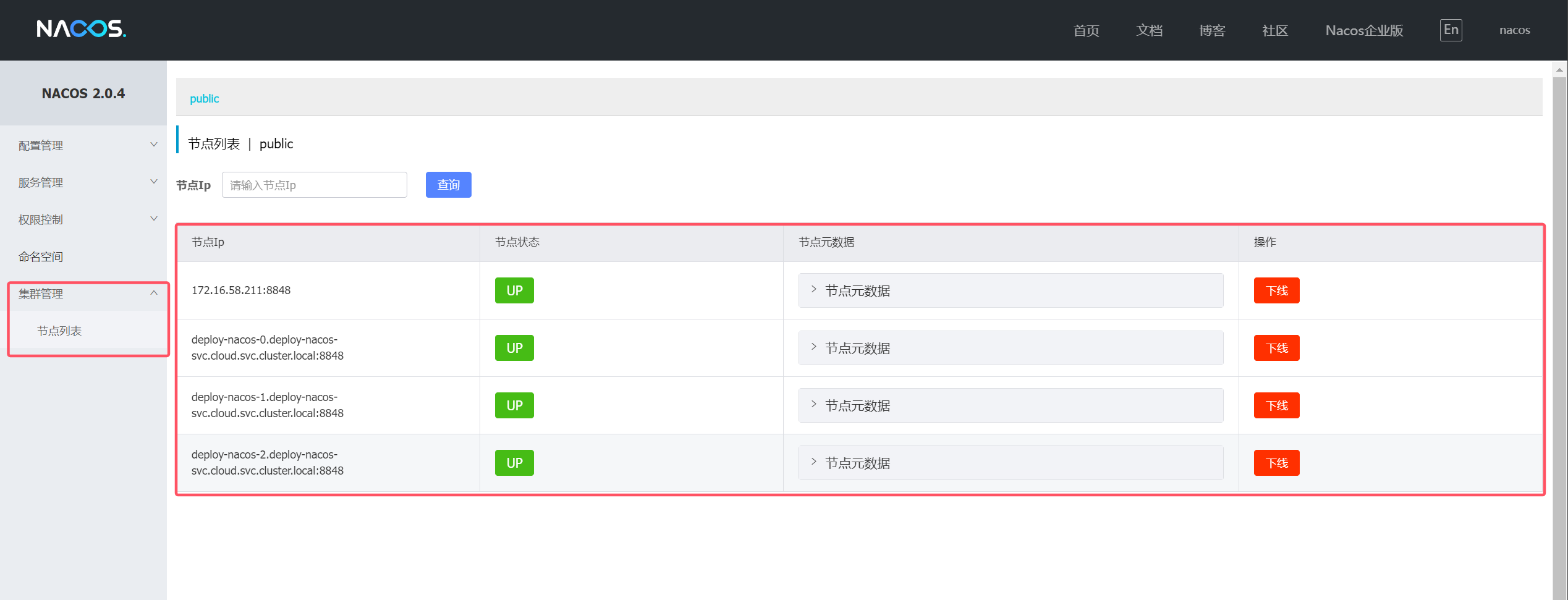
查看集群列表
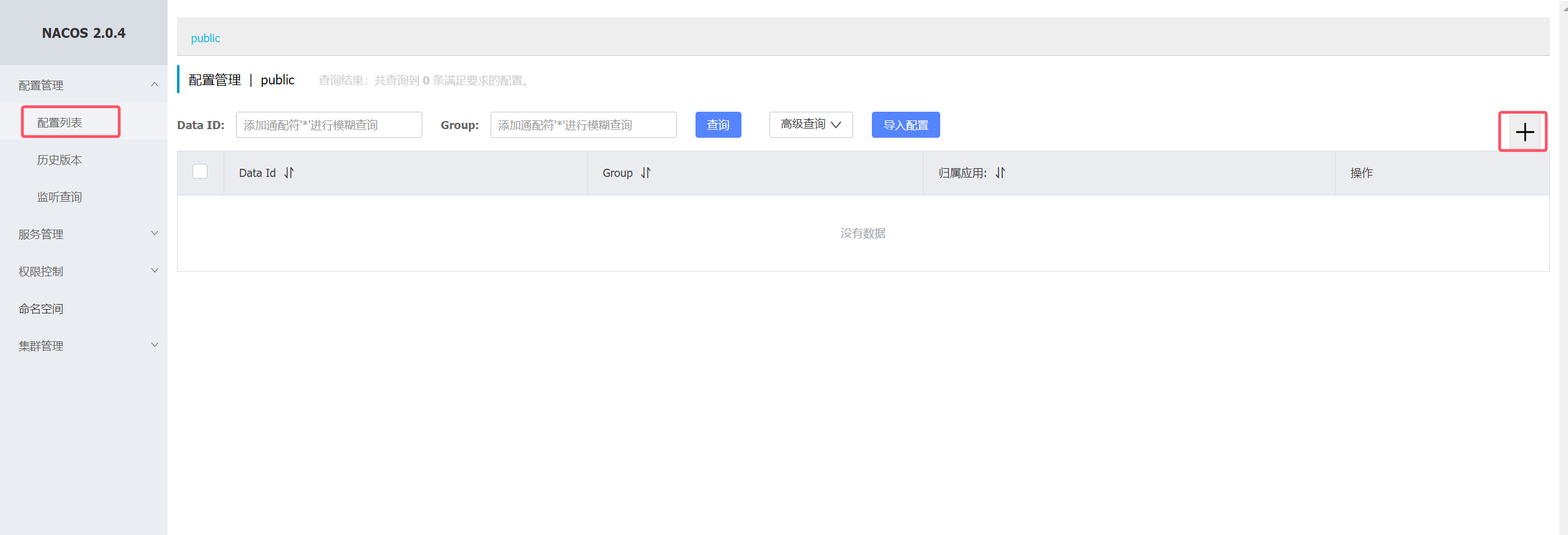
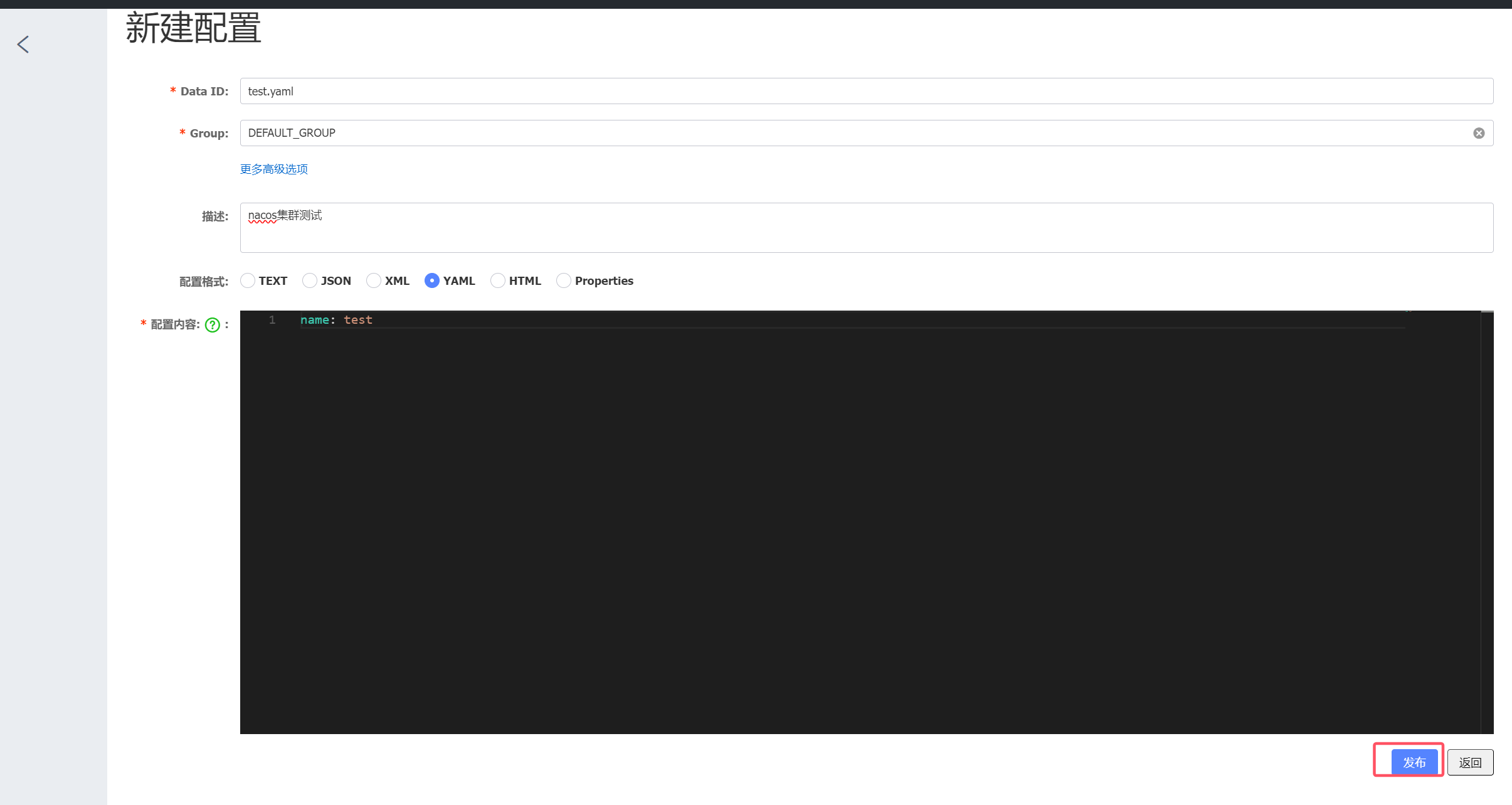
插入测试数据
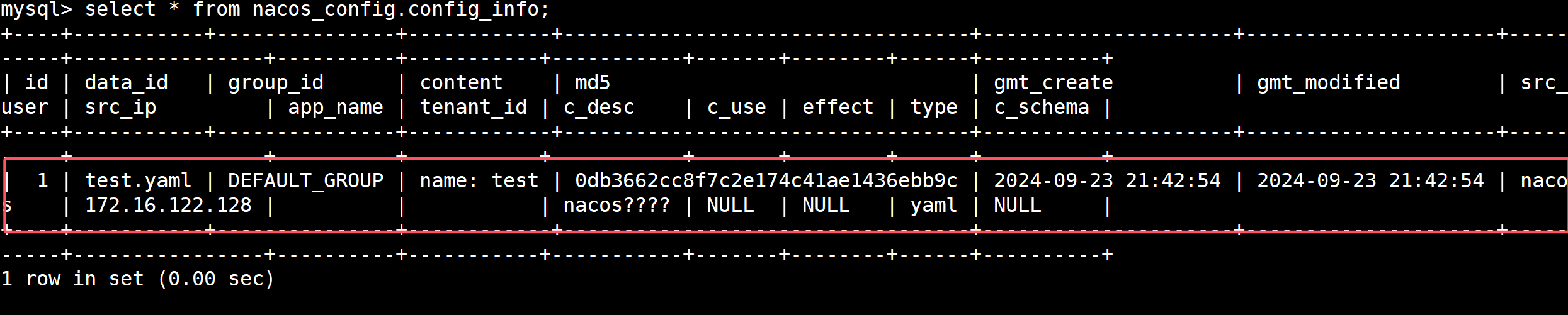
数据库数据查询测试数据
1 2 3 4 5 6 7 8 [root@k8s-master01 nacos] bash-4.2 mysql> select * from nacos_config.config_info;
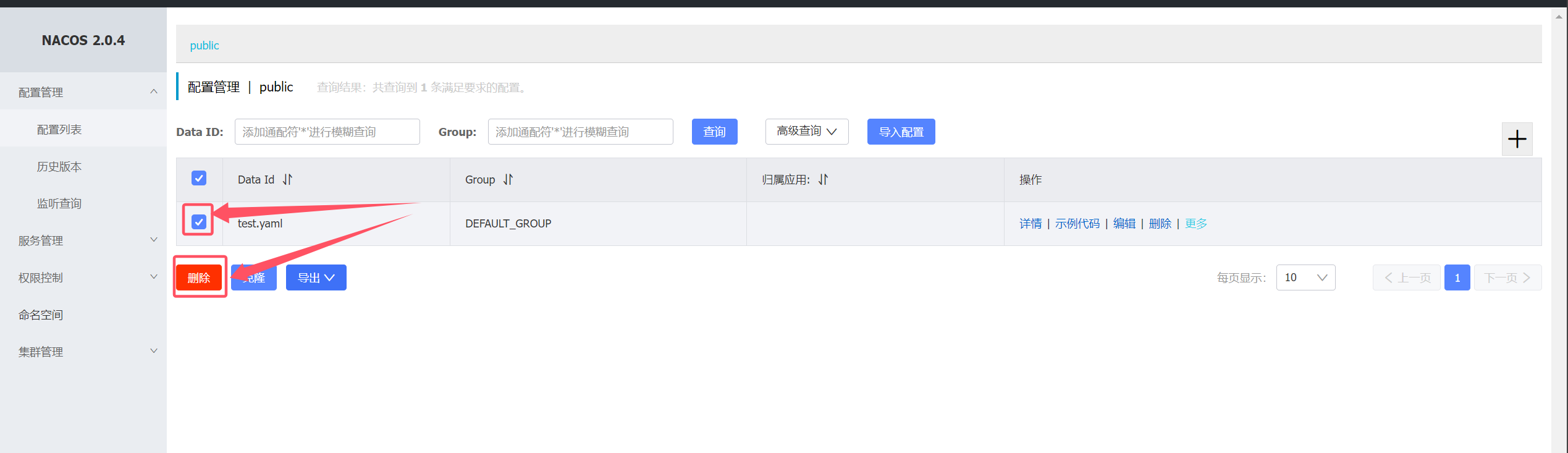
删除测试数据
若依微服务项目容器化部署 一、创建项目部署命名空间 1 2 3 4 5 6 7 8 9 10 11 12 13 14 15 16 17 18 19 20 21 22 23 $ mkdir ruoyi-cloud && cd ruoyi-cloud $ kubectl create namespace yueyang-cloud --dry-run=client --output=yaml > 01-yueyang-cloud-ns.yaml --- apiVersion: v1 kind: Namespace metadata: creationTimestamp: null name: yueyang-cloud spec: {} status: {} $ kubectl create -f 01-yueyang-cloud-ns.yaml namespace/yueyang-cloud created $ kubectl get -f 01-yueyang-cloud-ns.yaml NAME STATUS AGE yueyang-cloud Active 3s
二、创建部署环境configmap(代码需指定部署环境) 1 2 3 4 5 6 7 8 9 10 11 12 13 14 15 16 17 18 19 20 21 $ kubectl create configmap spring-profile-cm --namespace=yueyang-cloud --from-literal=spring-profiles-active=prod --dry-run=client -oyaml > 02-spring-profiles-active-cm.yaml --- apiVersion: v1 data: spring-profiles-active: prod kind: ConfigMap metadata: creationTimestamp: null name: spring-profile-cm namespace: yueyang-cloud $ kubectl create -f 02-spring-profiles-active-cm.yaml configmap/spring-profile-cm created $ kubectl get -f 02-spring-profiles-active-cm.yaml NAME DATA AGE spring-profile-cm 1 27s
二、创建MySQL 1. 创建MySQL 密码secret 1 2 3 4 5 6 7 8 9 10 11 12 13 14 15 16 17 18 19 20 21 $ kubectl create secret generic yueyang-mysql-password-secret --namespace=yueyang-cloud --from-literal=mysql-root-password=root --dry-run=client -oyaml > 03-mysql-root-password-secret.yaml --- apiVersion: v1 data: mysql-root-password: cm9vdA== kind: Secret metadata: creationTimestamp: null name: yueyang-mysql-password-secret namespace: yueyang-cloud $ kubectl create -f 03-mysql-root-password-secret.yaml secret/yueyang-mysql-password-secret $ kubectl get -f 03-mysql-root-password-secret.yaml NAME TYPE DATA AGE yueyang-mysql-password-secret Opaque 1 6s
2. 创建MySQL 配置文件configmap 1 2 3 4 5 6 7 8 9 10 11 12 13 14 15 16 17 18 19 20 21 22 23 24 25 26 27 28 29 30 31 32 33 34 35 36 37 38 39 40 41 42 43 44 45 46 47 48 49 50 51 52 53 54 55 56 57 58 59 60 61 62 63 64 65 66 67 68 69 70 71 72 73 74 75 76 77 78 79 80 81 82 83 84 85 86 87 88 89 90 91 92 93 94 95 96 97 98 $ vim my.cnf [mysqld] skip-host-cache skip-name-resolve datadir=/var/lib/mysql socket=/var/run/mysqld/mysqld.sock secure-file-priv=/var/lib/mysql-files user=mysql symbolic-links=0 pid-file=/var/run/mysqld/mysqld.pid [client] socket=/var/run/mysqld/mysqld.sock !includedir /etc/mysql/conf.d/ !includedir /etc/mysql/mysql.conf.d/ $ kubectl create configmap yueyang-mysql-config-cm --namespace=yueyang-cloud --from-file=my.cnf --dry-run=client -oyaml > 04-yueyang-mysql-config-cm.yaml --- apiVersion: v1 data: my.cnf: | [mysqld] skip-host-cache skip-name-resolve datadir=/var/lib/mysql socket=/var/run/mysqld/mysqld.sock secure-file-priv=/var/lib/mysql-files user=mysql symbolic-links=0 pid-file=/var/run/mysqld/mysqld.pid [client] socket=/var/run/mysqld/mysqld.sock !includedir /etc/mysql/conf.d/ !includedir /etc/mysql/mysql.conf.d/ kind: ConfigMap metadata: creationTimestamp: null name: mysql-config-cm namespace: yueyang-cloud $ kubectl create -f 04-yueyang-mysql-config-cm.yaml configmap/mysql-config-cm created $ kubectl get -f 04-yueyang-mysql-config-cm.yaml NAME DATA AGE mysql-config-cm 1 26s
3. 部署MySQL Pod 1 2 3 4 5 6 7 8 9 10 11 12 13 14 15 16 17 18 19 20 21 22 23 24 25 26 27 28 29 30 31 32 33 34 35 36 37 38 39 40 41 42 43 44 45 46 47 48 49 50 51 52 53 54 55 56 57 58 59 60 61 62 63 64 65 66 67 68 69 70 71 72 73 74 75 76 77 78 79 80 81 82 83 84 85 86 87 88 89 90 91 92 93 94 95 96 97 98 99 100 101 102 103 104 105 106 107 108 109 110 111 112 113 114 115 $ vim 05 -mysql-sts.yaml --- apiVersion: v1 kind: Service metadata: name: yueyang-mysql-svc namespace: yueyang-cloud labels: app: yueyang-mysql spec: ports: - port: 3306 name: mysql targetPort: 3306 clusterIP: None selector: app: yueyang-mysql type: ClusterIP sessionAffinity: None --- apiVersion: apps/v1 kind: StatefulSet metadata: name: yueyang-mysql namespace: yueyang-cloud spec: selector: matchLabels: app: yueyang-mysql serviceName: "yueyang-mysql-svc" replicas: 1 template: metadata: labels: app: yueyang-mysql spec: terminationGracePeriodSeconds: 10 containers: - args: - --character-set-server=utf8mb4 - --collation-server=utf8mb4_unicode_ci - --lower_case_table_names=1 - --default-time_zone=+8:00 name: mysql image: registry.cn-hangzhou.aliyuncs.com/hujiaming-01/mysql:1.0.0 ports: - containerPort: 3306 name: mysql volumeMounts: - name: mysql-data mountPath: /var/lib/mysql - name: mysql-conf mountPath: /etc/my.cnf readOnly: true subPath: my.cnf env: - name: MYSQL_ROOT_PASSWORD valueFrom: secretKeyRef: key: mysql-root-password name: yueyang-mysql-password-secret imagePullSecrets: - name: yueyang-image-account-secret volumes: - name: mysql-conf configMap: name: mysql-config-cm items: - key: my.cnf mode: 0644 path: my.cnf volumeClaimTemplates: - metadata: name: mysql-data spec: accessModes: - ReadWriteMany resources: requests: storage: 2Gi storageClassName: nfs-client $ kubectl create -f 05 -mysql-sts.yaml service/yueyang-mysql-svc created $ kubectl get po -n yueyang-cloud NAME READY STATUS RESTARTS AGE yueyang-mysql-0 1 /1 Running 0 8s
4. MySQL 验证使用 1 2 3 4 5 6 7 8 9 10 11 12 13 14 15 16 17 18 19 20 21 22 $ kubectl exec -it yueyang-mysql-0 -n yueyang-cloud -- bash $ bash-4.2 mysql> show databases; +--------------------+ | Database | +--------------------+ | information_schema | | mysql | | performance_schema | | sys | | yueyang_config | | yueyang_gen | | yueyang_job | | yueyang_seata | | yueyang_system | +--------------------+ 9 rows in set (0.01 sec)
三、部署Nacos 需要创建的configmap总共有那么几个常量:
jvm-xmn: jvm新生区的内存大小jvm-xms: jvm永久区的最小大小jvm-xmx: jvm永久区的最大大小mode: nacos启动模式,因为是单点启动,所以设置为 standalonemysql-database-num: nacos连接数据库的数量,设置为1mysql-service-db-name: mysql当中nacos数据库的名字。上一个步骤当中我们部署了mysql,里面关于nacos数据库的名字为yueyang_configmysql-service-db-param: nacos连接数据库的参数mysql-service-host: mysql数据库的地址mysql-service-port: mysql数据库的端口
mysql-service-user: 连接mysql的用户名spring-datasource-platform: nacos连接数据库的平台,只支持mysql
1. 创建configmap 1 2 3 4 5 6 7 8 9 10 11 12 13 14 15 16 17 18 19 20 21 22 23 24 25 26 27 28 29 30 31 32 33 34 35 36 37 38 39 40 41 42 $ kubectl create configmap yueyang-nacos-cm --namespace=yueyang-cloud --dry-run=client --output=yaml \ --from-literal=jvm-xmn=64m \ --from-literal=jvm-xms=128m \ --from-literal=jvm-xmx=128m \ --from-literal=mode=standalone \ --from-literal=mysql-database-num=1 \ --from-literal=mysql-service-db-name=yueyang_config \ --from-literal=mysql-service-db-param='characterEncoding=utf8&connectTimeout=1000&socketTimeout=3000&autoReconnect=true&useSSL=false&serverTimezone=UTC' \ --from-literal=mysql-service-host='yueyang-mysql-0.yueyang-mysql-svc.yueyang-cloud.svc.cluster.local' \ --from-literal=mysql-service-port=3306 \ --from-literal=mysql-service-user=root \ --from-literal=spring-datasource-platform=mysql > 06-yueyang-nacos-cm.yaml --- apiVersion: v1 data: jvm-xmn: 64m jvm-xms: 128m jvm-xmx: 128m mode: standalone mysql-database-num: "1" mysql-service-db-name: yueyang_config mysql-service-db-param: characterEncoding=utf8&connectTimeout=1000&socketTimeout=3000&autoReconnect=true &useSSL=false &serverTimezone=UTC mysql-service-host: yueyang-mysql-0.yueyang-mysql-svc.yueyang-cloud.svc.cluster.local mysql-service-port: "3306" mysql-service-user: root spring-datasource-platform: mysql kind: ConfigMap metadata: creationTimestamp: null name: yueyang-nacos-cm namespace: yueyang-cloud $ kubectl create -f 06-yueyang-nacos-cm.yaml configmap/yueyang-nacos-cm created $ kubectl get -f 06-yueyang-nacos-cm.yaml NAME DATA AGE yueyang-nacos-cm 11 66s
2. 部署Nacos Pod 1 2 3 4 5 6 7 8 9 10 11 12 13 14 15 16 17 18 19 20 21 22 23 24 25 26 27 28 29 30 31 32 33 34 35 36 37 38 39 40 41 42 43 44 45 46 47 48 49 50 51 52 53 54 55 56 57 58 59 60 61 62 63 64 65 66 67 68 69 70 71 72 73 74 75 76 77 78 79 80 81 82 83 84 85 86 87 88 89 90 91 92 93 94 95 96 97 98 99 100 101 102 103 104 105 106 107 108 109 110 111 112 113 114 115 116 117 118 119 120 121 122 123 124 125 126 127 128 129 130 131 132 133 134 135 136 137 138 139 140 141 142 143 144 145 146 147 148 149 150 151 152 153 154 155 156 157 158 159 160 161 162 163 164 165 166 167 168 169 170 171 172 173 $ vim 07 -nacos-sts.yaml --- apiVersion: v1 kind: Service metadata: name: yueyang-nacos-svc namespace: yueyang-cloud labels: app: yueyang-nacos spec: ports: - port: 8848 name: client targetPort: 8848 - port: 9848 name: client-rpc targetPort: 9848 - port: 9849 name: raft-rpc targetPort: 9849 - port: 7848 name: old-raft-rpc targetPort: 7848 clusterIP: None selector: app: yueyang-nacos type: ClusterIP sessionAffinity: None --- apiVersion: apps/v1 kind: StatefulSet metadata: name: yueyang-nacos namespace: yueyang-cloud spec: selector: matchLabels: app: yueyang-nacos serviceName: "yueyang-nacos-svc" replicas: 1 template: metadata: labels: app: yueyang-nacos spec: terminationGracePeriodSeconds: 10 containers: - name: nacos image: registry.cn-hangzhou.aliyuncs.com/hujiaming/nacos-server:v2.0.4 ports: - containerPort: 8848 name: client - containerPort: 9848 name: client-rpc - containerPort: 9849 name: raft-rpc - containerPort: 7848 name: old-raft-rpc volumeMounts: - name: nacos-data mountPath: /home/nacos/data - name: nacos-logs mountPath: /home/nacos/logs env: - name: JVM_XMN valueFrom: configMapKeyRef: key: jvm-xmn name: yueyang-nacos-cm - name: JVM_XMS valueFrom: configMapKeyRef: key: jvm-xms name: yueyang-nacos-cm - name: JVM_XMX valueFrom: configMapKeyRef: key: jvm-xmx name: yueyang-nacos-cm - name: MODE valueFrom: configMapKeyRef: key: mode name: yueyang-nacos-cm - name: MYSQL_DATABASE_NUM valueFrom: configMapKeyRef: key: mysql-database-num name: yueyang-nacos-cm - name: MYSQL_SERVICE_DB_NAME valueFrom: configMapKeyRef: key: mysql-service-db-name name: yueyang-nacos-cm - name: MYSQL_SERVICE_DB_PARAM valueFrom: configMapKeyRef: key: mysql-service-db-param name: yueyang-nacos-cm - name: MYSQL_SERVICE_HOST valueFrom: configMapKeyRef: key: mysql-service-host name: yueyang-nacos-cm - name: MYSQL_SERVICE_PASSWORD valueFrom: secretKeyRef: key: mysql-root-password name: yueyang-mysql-password-secret - name: MYSQL_SERVICE_PORT valueFrom: configMapKeyRef: key: mysql-service-port name: yueyang-nacos-cm - name: MYSQL_SERVICE_USER valueFrom: configMapKeyRef: key: mysql-service-user name: yueyang-nacos-cm - name: SPRING_DATASOURCE_PLATFORM valueFrom: configMapKeyRef: key: spring-datasource-platform name: yueyang-nacos-cm volumeClaimTemplates: - metadata: name: nacos-data spec: accessModes: - ReadWriteMany resources: requests: storage: 2Gi storageClassName: nfs-client - metadata: name: nacos-logs spec: accessModes: - ReadWriteMany resources: requests: storage: 2Gi storageClassName: nfs-client
1 2 3 4 5 6 7 8 9 10 11 12 13 14 $ kubectl create -f 07-nacos-sts.yaml service/yueyang-nacos-svc created statefulset.apps/yueyang-nacos created $ kubectl get po,svc -n yueyang-cloud NAME READY STATUS RESTARTS AGE pod/yueyang-mysql-0 1/1 Running 0 18m pod/yueyang-nacos-0 1/1 Running 0 71s NAME TYPE CLUSTER-IP EXTERNAL-IP PORT(S) AGE service/yueyang-mysql-svc ClusterIP None <none> 3306/TCP 18m service/yueyang-nacos-svc ClusterIP None <none> 8848/TCP,9848/TCP,9849/TCP,7848/TCP 71s
3. 创建nacos ingress 1 2 3 4 5 6 7 8 9 10 11 12 13 14 15 16 17 18 19 20 21 22 $ vim 08 -nacos-ingress.yaml --- apiVersion: networking.k8s.io/v1 kind: Ingress metadata: creationTimestamp: null name: yueyang-nacos-ingress namespace: yueyang-cloud spec: ingressClassName: nginx rules: - host: nacos.tanke.love http: paths: - backend: service: name: yueyang-nacos-svc port: number: 8848 path: / pathType: Prefix
1 2 3 4 5 6 7 8 9 10 11 $ kubectl create -f 08-nacos-ingress.yaml ingress.networking.k8s.io/yueyang-nacos-ingress created $ kubectl get -f 08-nacos-ingress.yaml NAME CLASS HOSTS ADDRESS PORTS AGE yueyang-nacos-ingress nginx nacos.tanke.love 80 46s $ kubectl get svc -n ingress-nginx
浏览器访问http://nacos.tanke.love:30242/nacos
四、部署redis 1. 配置redis 配置文件configmap 1 2 3 4 5 6 7 8 9 10 11 12 13 14 15 16 17 18 19 20 21 22 23 24 25 $ vim redis.conf protected-mode no loglevel warning logfile "/data/redis.log" dir /data dbfilename dump.rdb databases 16 save 900 1 save 300 10 save 60 10000
1 2 3 4 5 6 7 8 9 10 11 12 13 14 15 16 17 18 19 20 21 22 23 24 25 26 27 28 29 30 31 32 33 34 35 36 37 38 39 40 41 42 43 44 $ kubectl create configmap yueyang-redis-config-cm --namespace=yueyang-cloud --from-file=redis.conf --dry-run=client --output=yaml > 09-redis-file-cm.yaml --- apiVersion: v1 data: redis.conf: | protected-mode no loglevel warning logfile "/data/redis.log" dir /data dbfilename dump.rdb databases 16 save 900 1 save 300 10 save 60 10000 kind: ConfigMap metadata: creationTimestamp: null name: yueyang-redis-config-cm namespace: yueyang-cloud $ kubectl create -f 09-redis-file-cm.yaml configmap/yueyang-redis-config-cm created $ kubectl get -f 09-redis-file-cm.yaml NAME DATA AGE yueyang-redis-config-cm 1 17s
2. 部署redis Pod 1 2 3 4 5 6 7 8 9 10 11 12 13 14 15 16 17 18 19 20 21 22 23 24 25 26 27 28 29 30 31 32 33 34 35 36 37 38 39 40 41 42 43 44 45 46 47 48 49 50 51 52 53 54 55 56 57 58 59 60 61 62 63 64 65 66 67 68 69 70 71 72 73 74 75 76 77 78 79 80 81 82 83 84 85 86 87 88 89 90 91 92 93 $ vim 10 -redis-sts.yaml --- apiVersion: v1 kind: Service metadata: name: yueyang-redis-svc namespace: yueyang-cloud labels: app: yueyang-redis spec: ports: - port: 6379 name: redis targetPort: 6379 clusterIP: None selector: app: yueyang-redis type: ClusterIP sessionAffinity: None --- apiVersion: apps/v1 kind: StatefulSet metadata: name: yueyang-redis namespace: yueyang-cloud spec: selector: matchLabels: app: yueyang-redis serviceName: "yueyang-redis-svc" replicas: 1 template: metadata: labels: app: yueyang-redis spec: terminationGracePeriodSeconds: 10 containers: - command: - "redis-server" - "/usr/local/etc/redis.conf" name: redis image: registry.cn-shenzhen.aliyuncs.com/xiaohh-docker/redis:5.0.14 livenessProbe: initialDelaySeconds: 20 periodSeconds: 10 tcpSocket: port: 6379 ports: - containerPort: 6379 name: redis volumeMounts: - name: redis-data mountPath: /data - name: redis-config mountPath: /usr/local/etc readOnly: true volumes: - name: redis-config configMap: name: yueyang-redis-config-cm items: - key: redis.conf path: redis.conf volumeClaimTemplates: - metadata: name: redis-data spec: accessModes: - ReadWriteMany resources: requests: storage: 2Gi storageClassName: nfs-client
1 2 3 4 5 6 7 8 9 10 11 12 $ kubectl create -f 10-redis-sts.yaml service/yueyang-redis-svc created statefulset.apps/yueyang-redis created $ kubectl get -f 10-redis-sts.yaml NAME TYPE CLUSTER-IP EXTERNAL-IP PORT(S) AGE service/yueyang-redis-svc ClusterIP None <none> 6379/TCP 7s NAME READY AGE statefulset.apps/yueyang-redis 0/1 7s
3. 测试redis可用性 1 2 3 4 5 6 7 8 9 10 11 12 13 14 15 16 $ kubectl get po -n yueyang-cloud NAME READY STATUS RESTARTS AGE yueyang-mysql-0 1/1 Running 0 58m yueyang-nacos-0 1/1 Running 0 11m yueyang-redis-0 1/1 Running 0 109s $ kubectl exec -it yueyang-redis-0 -n yueyang-cloud -- bash root@yueyang-redis-0:/data 127.0.0.1:6379> ping PONG
五、部署sentinel ruoyi-cloud需要使用到sentinel进行熔断限流
1. 创建Sentinel的ConfigMap 镜像当中有一些环境变量,我们定义一个ConfigMap来存储它。
1 2 3 4 5 6 7 8 9 10 11 12 13 14 15 16 17 18 19 20 21 22 23 24 25 26 27 $ kubectl create configmap yueyang-sentinel-cm --namespace=yueyang-cloud --dry-run=client --output=yaml --from-literal=api-port=8719 --from-literal=java-option='-Dfile.encoding=UTF-8 -XX:+UseParallelGC -XX:+PrintGCDetails -Xloggc:/var/log/devops-example.gc.log -XX:+HeapDumpOnOutOfMemoryError -XX:+DisableExplicitGC' --from-literal=server-port=8718 --from-literal=xmn=64m --from-literal=xms=128m --from-literal=xmx=128m > 11-sentinel-cm.yaml --- apiVersion: v1 data: api-port: "8719" java-option: -Dfile.encoding=UTF-8 -XX:+UseParallelGC -XX:+PrintGCDetails -Xloggc:/var/log /devops-example.gc.log -XX:+HeapDumpOnOutOfMemoryError -XX:+DisableExplicitGC server-port: "8718" xmn: 64m xms: 128m xmx: 128m kind: ConfigMap metadata: creationTimestamp: null name: yueyang-sentinel-cm namespace: yueyang-cloud $ kubectl create -f 11-sentinel-cm.yaml configmap/yueyang-sentinel-cm created $ kubectl get -f 11-sentinel-cm.yaml NAME DATA AGE yueyang-sentinel-cm 6 18s
2. 创建sentinel 密码secret 用secret来存储sentinel的用户名和密码。⚠️生产环境注意修改sentinel的用户名和密码
1 2 3 4 5 6 7 8 9 10 11 12 13 14 15 16 17 18 19 20 21 22 $ kubectl create secret generic yueyang-sentinel-password-secret --namespace=yueyang-cloud --dry-run=client --output=yaml --from-literal=sentinel-password=sentinel --from-literal=sentinel-username=sentinel > 12-sentinel-pass.yaml --- apiVersion: v1 data: sentinel-password: c2VudGluZWw= sentinel-username: c2VudGluZWw= kind: Secret metadata: creationTimestamp: null name: yueyang-sentinel-password-secret namespace: yueyang-cloud $ kubectl create -f 12-sentinel-pass.yaml secret/yueyang-sentinel-password-secret created $ kubectl get -f 12-sentinel-pass.yaml NAME TYPE DATA AGE yueyang-sentinel-password-secret Opaque 2 27s
3. 创建sentinel Pod 1 2 3 4 5 6 7 8 9 10 11 12 13 14 15 16 17 18 19 20 21 22 23 24 25 26 27 28 29 30 31 32 33 34 35 36 37 38 39 40 41 42 43 44 45 46 47 48 49 50 51 52 53 54 55 56 57 58 59 60 61 62 63 64 65 66 67 68 69 70 71 72 73 74 75 76 77 78 79 80 81 82 83 84 85 86 87 88 89 90 91 92 93 94 95 96 97 98 99 100 101 102 103 104 105 106 107 108 109 110 111 $ vim 13 -sentinel-deploy.yaml --- apiVersion: apps/v1 kind: Deployment metadata: labels: app: yueyang-sentinel-deploy name: yueyang-sentinel-deploy namespace: yueyang-cloud spec: replicas: 1 selector: matchLabels: app: yueyang-sentinel-deploy strategy: {} template: metadata: labels: app: yueyang-sentinel-deploy spec: containers: - image: registry.cn-hangzhou.aliyuncs.com/hujiaming/sentinel:1.8.6 name: sentinel ports: - containerPort: 8718 name: dashboard protocol: TCP - containerPort: 8719 name: api protocol: TCP env: - name: XMX valueFrom: configMapKeyRef: key: xmx name: yueyang-sentinel-cm - name: XMS valueFrom: configMapKeyRef: key: xms name: yueyang-sentinel-cm - name: XMN valueFrom: configMapKeyRef: key: xmn name: yueyang-sentinel-cm - name: API_PORT valueFrom: configMapKeyRef: key: api-port name: yueyang-sentinel-cm - name: SERVER_PORT valueFrom: configMapKeyRef: key: server-port name: yueyang-sentinel-cm - name: JAVA_OPTION valueFrom: configMapKeyRef: key: java-option name: yueyang-sentinel-cm - name: SENTINEL_USERNAME valueFrom: secretKeyRef: key: sentinel-username name: yueyang-sentinel-password-secret - name: SENTINEL_PASSWORD valueFrom: secretKeyRef: key: sentinel-password name: yueyang-sentinel-password-secret resources: {} --- apiVersion: v1 kind: Service metadata: labels: app: yueyang-sentinel-deploy name: yueyang-sentinel-svc namespace: yueyang-cloud spec: ports: - name: dashboard port: 8718 protocol: TCP targetPort: 8718 - name: api port: 8719 protocol: TCP targetPort: 8719 selector: app: yueyang-sentinel-deploy type: ClusterIP
1 2 3 4 5 6 7 8 9 10 11 12 $ kubectl create -f 13-sentinel-deploy.yaml deployment.apps/yueyang-sentinel-deploy created service/yueyang-sentinel-svc created $ kubectl get -f 13-sentinel-deploy.yaml NAME READY UP-TO-DATE AVAILABLE AGE deployment.apps/yueyang-sentinel-deploy 1/1 1 1 44s NAME TYPE CLUSTER-IP EXTERNAL-IP PORT(S) AGE service/yueyang-sentinel-svc ClusterIP 10.96.53.233 <none> 8718/TCP,8719/TCP 44s
4. 使用ingress 暴露sentinel 1 2 3 4 5 6 7 8 9 10 11 12 13 14 15 16 17 18 19 20 21 22 23 24 25 26 27 28 29 30 31 32 33 34 $ vim 14-sentinel-ingress.yaml --- apiVersion: networking.k8s.io/v1 kind: Ingress metadata: creationTimestamp: null name: yueyang-sentinel-ingress namespace: yueyang-cloud spec: ingressClassName: nginx rules: - host: sentinel.tanke.love http: paths: - backend: service: name: yueyang-sentinel-svc port: number: 8718 path: / pathType: Prefix $ kubectl create -f 14-sentinel-ingress.yaml ingress.networking.k8s.io/yueyang-sentinel-ingress created $ kubectl get -f 14-sentinel-ingress.yaml NAME CLASS HOSTS ADDRESS PORTS AGE yueyang-sentinel-ingress nginx sentinel.tanke.love 10.96.28.207 80 30s $ kubectl get svc -n ingress-nginx
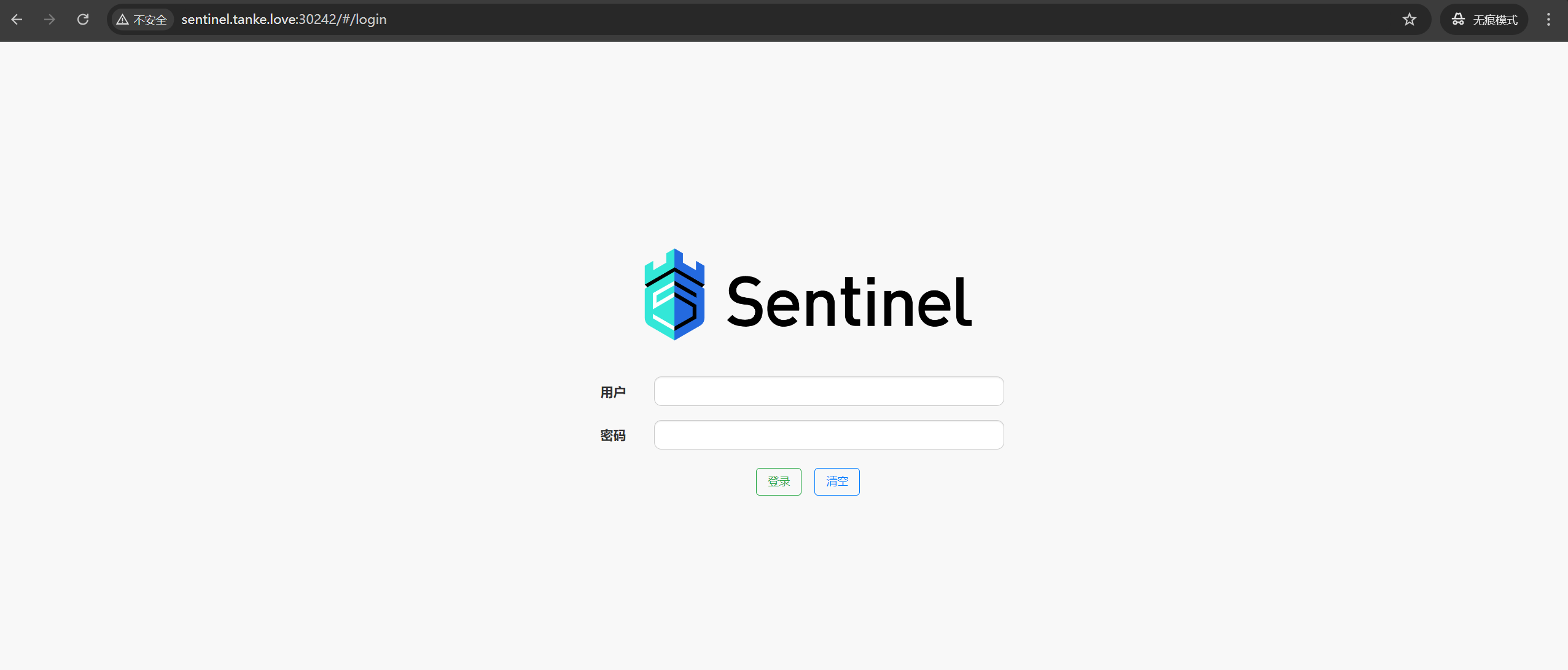
浏览器访问:http://http://sentinel.tanke.love:30242/
账号密码均为:sentinel
六、部署file模块 1. 部署file Pod 1 2 3 4 5 6 7 8 9 10 11 12 13 14 15 16 17 18 19 20 21 22 23 24 25 26 27 28 29 30 31 32 33 34 35 36 37 38 39 40 41 42 43 44 45 46 47 48 49 50 51 52 53 54 55 56 57 58 59 60 61 62 63 64 65 66 67 68 69 70 71 72 73 74 75 76 77 78 79 $ vim 15 -file-deploy.yaml --- apiVersion: v1 kind: PersistentVolumeClaim metadata: name: yueyang-file-pvc namespace: yueyang-cloud spec: accessModes: - ReadWriteMany storageClassName: "nfs-client" resources: requests: storage: 1Gi --- apiVersion: apps/v1 kind: Deployment metadata: labels: app: yueyang-file-deployment name: yueyang-file-deployment namespace: yueyang-cloud spec: replicas: 1 selector: matchLabels: app: yueyang-file-deployment strategy: { } template: metadata: labels: app: yueyang-file-deployment spec: containers: - env: - name: SPRING_PROFILES_ACTIVE valueFrom: configMapKeyRef: name: spring-profile-cm key: spring-profiles-active - name: JAVA_OPTION value: "-Dfile.encoding=UTF-8 -XX:+UseParallelGC -XX:+PrintGCDetails -Xloggc:/var/log/devops-example.gc.log -XX:+HeapDumpOnOutOfMemoryError -XX:+DisableExplicitGC" - name: XMX value: "128m" - name: XMS value: "128m" - name: XMN value: "64m" image: registry.cn-hangzhou.aliyuncs.com/hujiaming-01/file:1.0.0 name: file livenessProbe: httpGet: path: /actuator/health port: 10020 scheme: HTTP initialDelaySeconds: 20 periodSeconds: 10 ports: - containerPort: 10020 resources: { } volumeMounts: - mountPath: /data/file name: file-data volumes: - name: file-data persistentVolumeClaim: claimName: yueyang-file-pvc
1 2 3 4 5 6 7 8 9 10 11 12 $ kubectl create -f 15-file-deploy.yaml persistentvolumeclaim/yueyang-file-pvc created deployment.apps/yueyang-file-deployment created $ kubectl get -f 15-file-deploy.yaml NAME STATUS VOLUME CAPACITY ACCESS MODES STORAGECLASS AGE persistentvolumeclaim/yueyang-file-pvc Bound pvc-233963b3-180c-4c7c-807d-78408f34e472 1Gi RWX nfs-client 78s NAME READY UP-TO-DATE AVAILABLE AGE deployment.apps/yueyang-file-deployment 1/1 1 1 78s
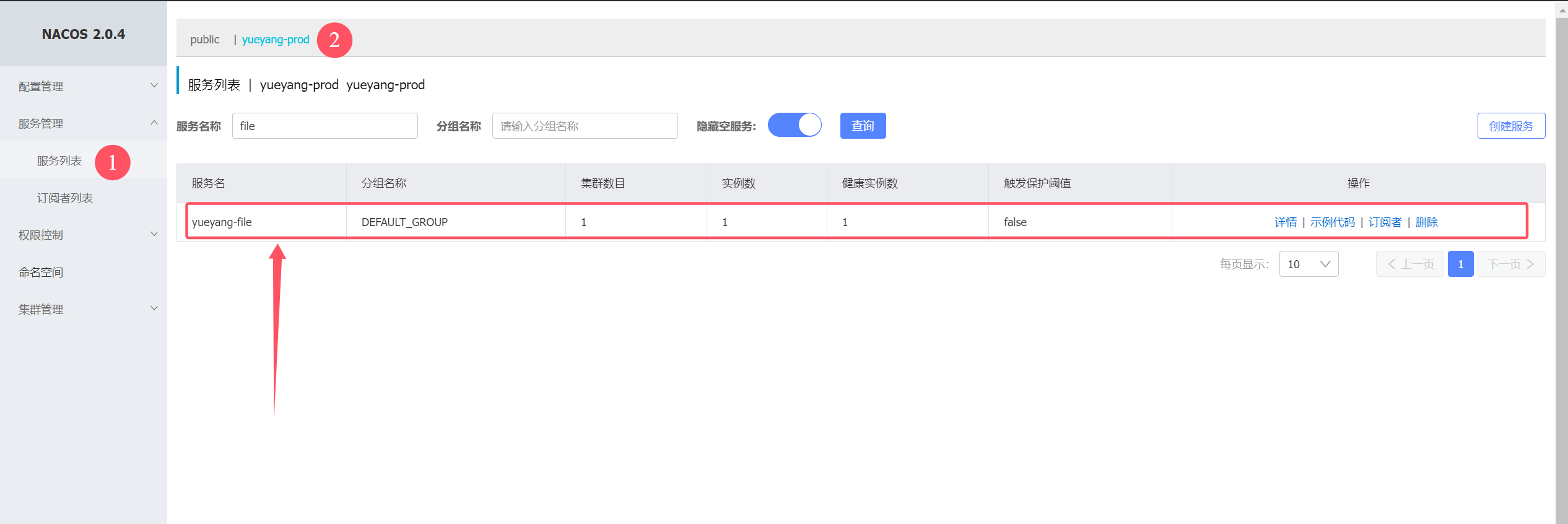
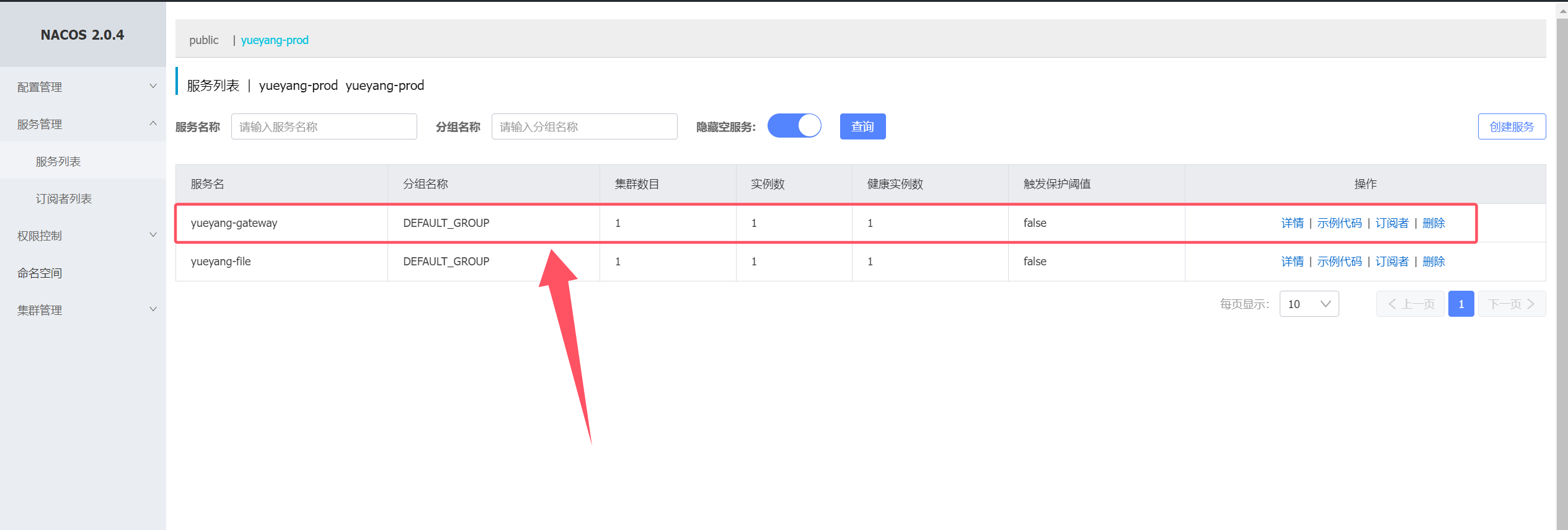
2. nacos 验证file模块是否注册
七、gateway网关服务部署 1. 部署 gateway Pod 1 2 3 4 5 6 7 8 9 10 11 12 13 14 15 16 17 18 19 20 21 22 23 24 25 26 27 28 29 30 31 32 33 34 35 36 37 38 39 40 41 42 43 44 45 46 47 48 49 50 51 52 53 54 55 56 57 58 59 60 61 62 63 64 65 66 67 68 69 70 71 $ vim 16 -gateway-deploy.yaml --- apiVersion: v1 kind: Service metadata: labels: app: yueyang-gateway-deployment name: yueyang-gateway-svc namespace: yueyang-cloud spec: ports: - port: 8080 protocol: TCP targetPort: 8080 selector: app: yueyang-gateway-deployment type: ClusterIP --- apiVersion: apps/v1 kind: Deployment metadata: labels: app: yueyang-gateway-deployment name: yueyang-gateway-deployment namespace: yueyang-cloud spec: replicas: 1 selector: matchLabels: app: yueyang-gateway-deployment strategy: { } template: metadata: labels: app: yueyang-gateway-deployment spec: containers: - env: - name: SPRING_PROFILES_ACTIVE valueFrom: configMapKeyRef: name: spring-profile-cm key: spring-profiles-active - name: JAVA_OPTION value: "-Dfile.encoding=UTF-8 -XX:+UseParallelGC -XX:+PrintGCDetails -Xloggc:/var/log/devops-example.gc.log -XX:+HeapDumpOnOutOfMemoryError -XX:+DisableExplicitGC" - name: XMX value: "128m" - name: XMS value: "128m" - name: XMN value: "64m" image: registry.cn-hangzhou.aliyuncs.com/hujiaming-01/gateway:1.0.0 name: gateway livenessProbe: httpGet: path: /actuator/health port: 8080 scheme: HTTP initialDelaySeconds: 20 periodSeconds: 10 ports: - containerPort: 8080 resources: { }
1 2 3 4 5 6 7 8 9 10 11 12 $ kubectl replace -f 16-gateway-deploy.yaml service/yueyang-gateway-svc replaced deployment.apps/yueyang-gateway-deployment replaced $ kubectl get -f 16-gateway-deploy.yaml NAME TYPE CLUSTER-IP EXTERNAL-IP PORT(S) AGE service/yueyang-gateway-svc ClusterIP 10.96.230.51 <none> 8080/TCP 3s NAME READY UP-TO-DATE AVAILABLE AGE deployment.apps/yueyang-gateway-deployment 1/1 1 1 3m44s
2. nacos 验证gateway是否注册
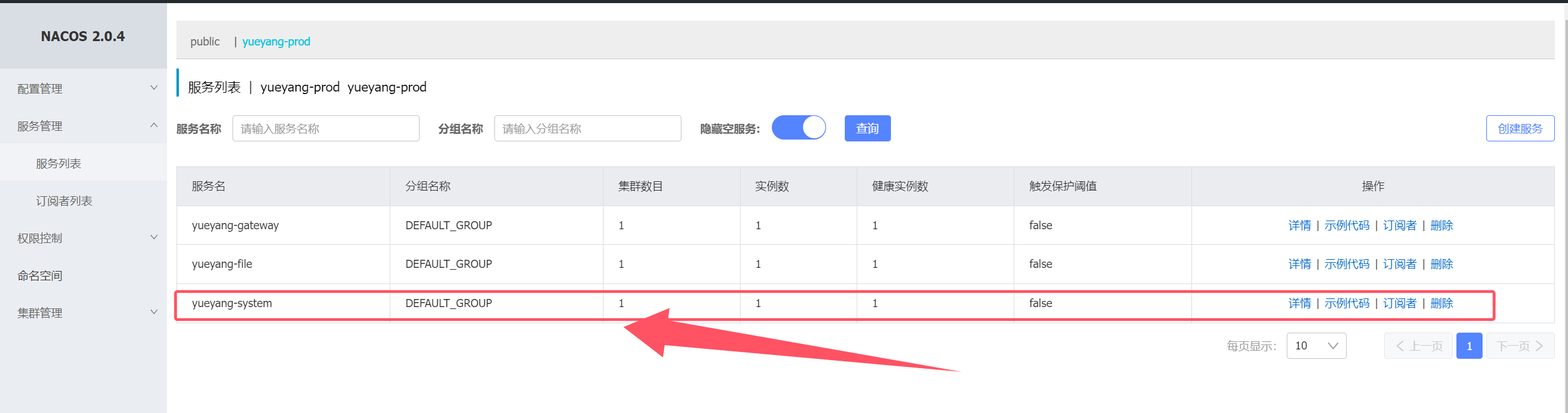
八、部署system模块 1. 部署system Pod 1 2 3 4 5 6 7 8 9 10 11 12 13 14 15 16 17 18 19 20 21 22 23 24 25 26 27 28 29 30 31 32 33 34 35 36 37 38 39 40 41 42 43 44 45 46 47 48 49 50 51 52 53 54 55 56 57 58 59 60 61 62 63 64 65 66 67 68 69 70 $ vim 17 -system-deploy.yaml --- apiVersion: v1 kind: Service metadata: labels: app: yueyang-system-deployment name: yueyang-system-svc namespace: yueyang-cloud spec: ports: - port: 10050 protocol: TCP targetPort: 10050 selector: app: yueyang-system-deployment type: ClusterIP --- apiVersion: apps/v1 kind: Deployment metadata: labels: app: yueyang-system-deployment name: yueyang-system-deployment namespace: yueyang-cloud spec: replicas: 1 selector: matchLabels: app: yueyang-system-deployment strategy: { } template: metadata: labels: app: yueyang-system-deployment spec: containers: - env: - name: SPRING_PROFILES_ACTIVE valueFrom: configMapKeyRef: name: spring-profile-cm key: spring-profiles-active - name: JAVA_OPTION value: "-Dfile.encoding=UTF-8 -XX:+UseParallelGC -XX:+PrintGCDetails -Xloggc:/var/log/devops-example.gc.log -XX:+HeapDumpOnOutOfMemoryError -XX:+DisableExplicitGC" - name: XMX value: "128m" - name: XMS value: "128m" - name: XMN value: "64m" image: registry.cn-hangzhou.aliyuncs.com/hujiaming-01/system:1.0.0 name: system livenessProbe: httpGet: path: /actuator/health port: 10050 scheme: HTTP initialDelaySeconds: 20 periodSeconds: 10 ports: - containerPort: 10050 resources: { }
1 2 3 4 5 6 7 8 9 10 11 12 $ kubectl create -f 17-system-deploy.yaml service/yueyang-system-svc created deployment.apps/yueyang-system-deployment created $ kubectl get -f 17-system-deploy.yaml NAME TYPE CLUSTER-IP EXTERNAL-IP PORT(S) AGE service/yueyang-system-svc ClusterIP 10.96.208.84 <none> 10050/TCP 2m33s NAME READY UP-TO-DATE AVAILABLE AGE deployment.apps/yueyang-system-deployment 1/1 1 1 2m34s
2. nacos 验证system 是否注册
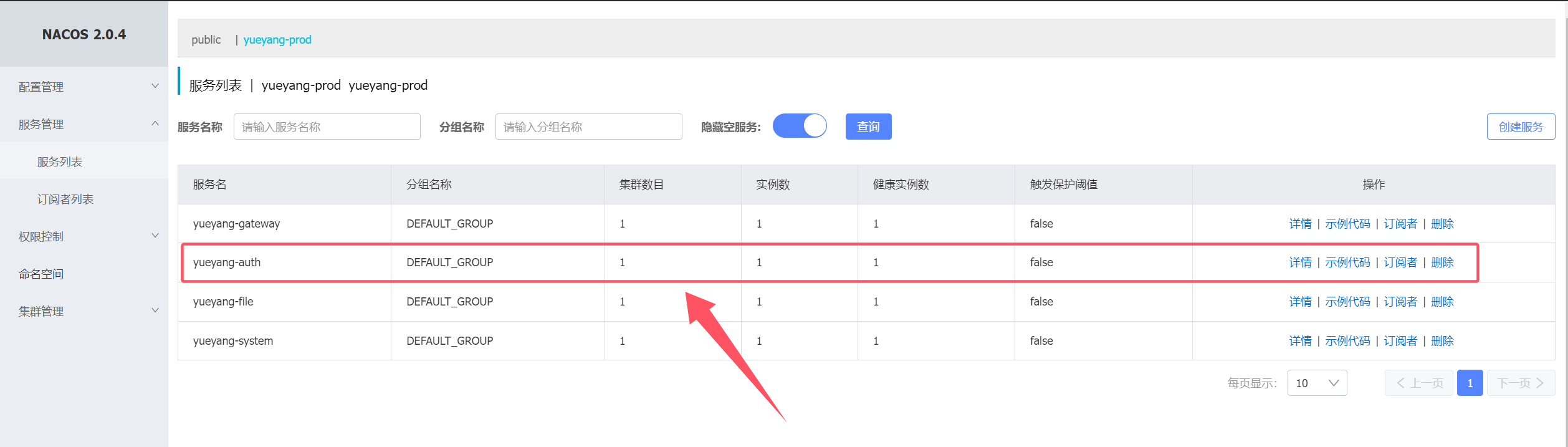
九、部署auth 模块 1. 部署auth Pod 1 2 3 4 5 6 7 8 9 10 11 12 13 14 15 16 17 18 19 20 21 22 23 24 25 26 27 28 29 30 31 32 33 34 35 36 37 38 39 40 41 42 43 44 45 46 47 48 49 50 51 52 53 54 55 56 57 58 59 60 61 62 63 64 65 66 67 68 69 70 $ vim 18 -auth-deploy.yaml --- apiVersion: v1 kind: Service metadata: labels: app: yueyang-auth-deployment name: yueyang-auth-svc namespace: yueyang-cloud spec: ports: - port: 10050 protocol: TCP targetPort: 10050 selector: app: yueyang-auth-deployment type: ClusterIP --- apiVersion: apps/v1 kind: Deployment metadata: labels: app: yueyang-auth-deployment name: yueyang-auth-deployment namespace: yueyang-cloud spec: replicas: 1 selector: matchLabels: app: yueyang-auth-deployment strategy: { } template: metadata: labels: app: yueyang-auth-deployment spec: containers: - env: - name: SPRING_PROFILES_ACTIVE valueFrom: configMapKeyRef: name: spring-profile-cm key: spring-profiles-active - name: JAVA_OPTION value: "-Dfile.encoding=UTF-8 -XX:+UseParallelGC -XX:+PrintGCDetails -Xloggc:/var/log/devops-example.gc.log -XX:+HeapDumpOnOutOfMemoryError -XX:+DisableExplicitGC" - name: XMX value: "128m" - name: XMS value: "128m" - name: XMN value: "64m" image: registry.cn-hangzhou.aliyuncs.com/hujiaming-01/auth:1.0.0 name: auth livenessProbe: httpGet: path: /actuator/health port: 10010 scheme: HTTP initialDelaySeconds: 20 periodSeconds: 10 ports: - containerPort: 10010 resources: { }
1 2 3 4 5 6 7 8 9 10 11 12 $ kubectl create -f 18-auth-deploy.yaml service/yueyang-auth-svc created deployment.apps/yueyang-auth-deployment created $ kubectl get -f 18-auth-deploy.yaml NAME TYPE CLUSTER-IP EXTERNAL-IP PORT(S) AGE service/yueyang-auth-svc ClusterIP 10.96.254.105 <none> 10050/TCP 35s NAME READY UP-TO-DATE AVAILABLE AGE deployment.apps/yueyang-auth-deployment 1/1 1 1 35s
2. nacos 验证auth是否注册
十、部署前端应用 1. 部署前端Pod 1 2 3 4 5 6 7 8 9 10 11 12 13 14 15 16 17 18 19 20 21 22 23 24 25 26 27 28 29 30 31 32 33 34 35 36 37 38 39 40 41 42 43 44 45 46 47 48 49 50 51 52 53 54 55 $ vim 19 -nginx-deploy.yaml --- apiVersion: v1 kind: Service metadata: labels: app: yueyang-ui-deployment name: yueyang-ui-svc namespace: yueyang-cloud spec: ports: - port: 80 protocol: TCP targetPort: 80 selector: app: yueyang-ui-deployment type: ClusterIP --- apiVersion: apps/v1 kind: Deployment metadata: labels: app: yueyang-ui-deployment name: yueyang-ui-deployment namespace: yueyang-cloud spec: replicas: 1 selector: matchLabels: app: yueyang-ui-deployment strategy: { } template: metadata: labels: app: yueyang-ui-deployment spec: containers: - image: registry.cn-hangzhou.aliyuncs.com/hujiaming-01/ui:1.0.0 name: ui livenessProbe: httpGet: path: / port: 80 scheme: HTTP initialDelaySeconds: 20 periodSeconds: 10 ports: - containerPort: 80 resources: { }
1 2 3 4 5 6 7 8 9 10 11 12 $ kubectl create -f 19-nginx-deploy.yaml service/yueyang-ui-svc created deployment.apps/yueyang-ui-deployment created $ kubectl get -f 19-nginx-deploy.yaml NAME TYPE CLUSTER-IP EXTERNAL-IP PORT(S) AGE service/yueyang-ui-svc ClusterIP 10.96.45.221 <none> 80/TCP 24s NAME READY UP-TO-DATE AVAILABLE AGE deployment.apps/yueyang-ui-deployment 1/1 1 1 24s
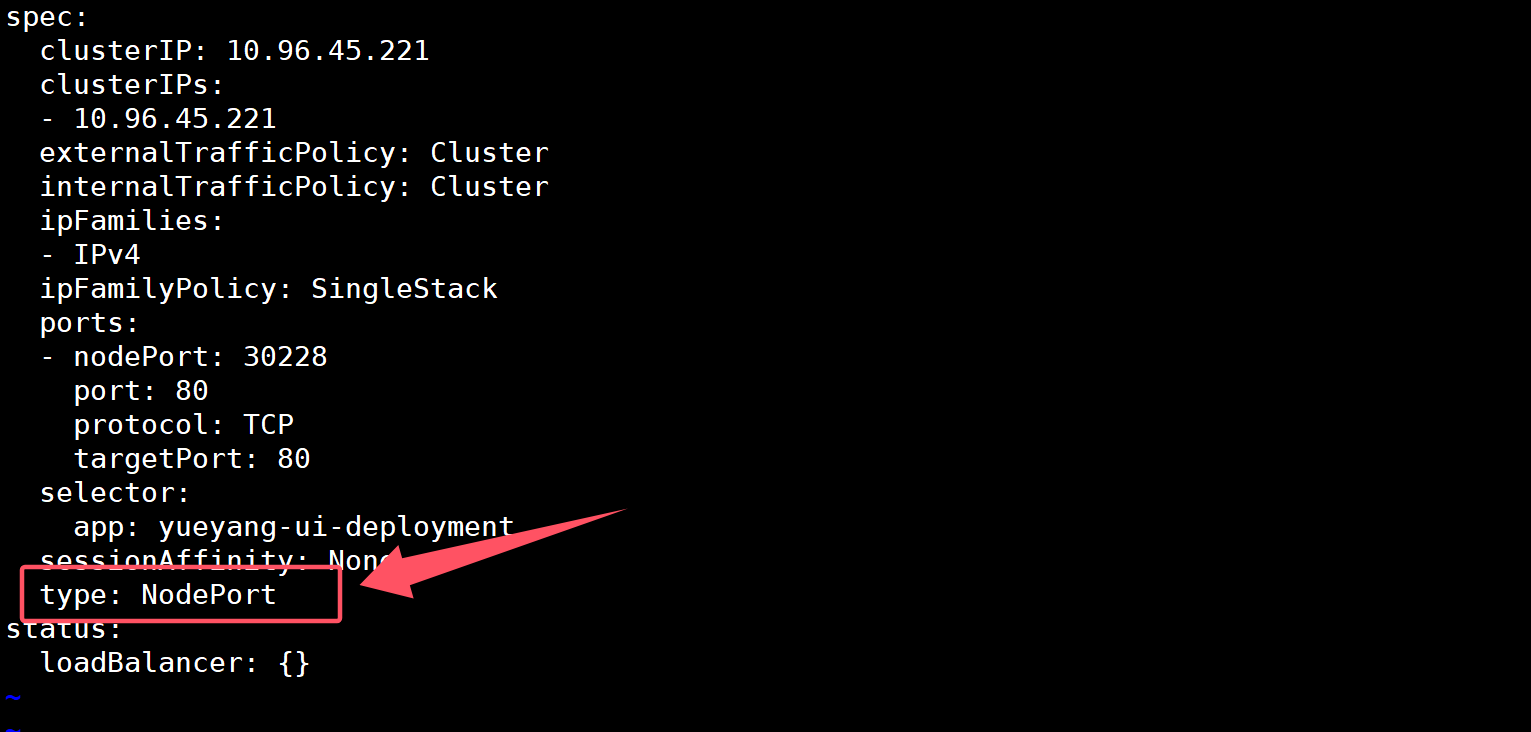
2. 使用ingress 暴露前端服务(无法正常使用,需要修改前端svc的类型为NodePort) 1 2 3 4 5 6 7 8 9 10 11 12 13 14 15 16 17 18 19 20 21 22 $ vim 20 -nginx-ingress.yaml --- apiVersion: networking.k8s.io/v1 kind: Ingress metadata: creationTimestamp: null name: yueyang-ui-ingress namespace: yueyang-cloud spec: ingressClassName: nginx rules: - host: rouyi.tanke.love http: paths: - backend: service: name: yueyang-ui-svc port: number: 80 path: / pathType: Prefix
1 2 3 4 5 6 7 8 9 10 11 $ kubectl create -f 20-nginx-ingress.yaml ingress.networking.k8s.io/yueyang-ui-ingress created $ kubectl get -f 20-nginx-ingress.yaml NAME CLASS HOSTS ADDRESS PORTS AGE yueyang-ui-ingress nginx rouyi.tanke.love 10.96.28.207 80 61s $ kubectl get svc -n yueyang-cloud
1 2 $ kubectl edit svc yueyang-ui-svc -n yueyang-cloud
1 2 $ kubectl get svc -n yueyang-cloud
浏览器访问http://宿主机IP+30228
十一、部署Job 模块 1. 部署job模块 Pod 1 2 3 4 5 6 7 8 9 10 11 12 13 14 15 16 17 18 19 20 21 22 23 24 25 26 27 28 29 30 31 32 33 34 35 36 37 38 39 40 41 42 43 44 45 46 47 48 49 50 51 52 53 54 55 56 57 58 59 60 61 62 63 64 65 66 67 68 69 70 71 $ vim 21 -job-deploy.yaml --- apiVersion: v1 kind: Service metadata: labels: app: yueyang-job-deployment name: yueyang-job-svc namespace: yueyang-cloud spec: ports: - port: 80 protocol: TCP targetPort: 80 selector: app: yueyang-job-deployment type: ClusterIP --- apiVersion: apps/v1 kind: Deployment metadata: labels: app: yueyang-job-deployment name: yueyang-job-deployment namespace: yueyang-cloud spec: replicas: 1 selector: matchLabels: app: yueyang-job-deployment strategy: { } template: metadata: labels: app: yueyang-job-deployment spec: containers: - env: - name: SPRING_PROFILES_ACTIVE valueFrom: configMapKeyRef: name: spring-profile-cm key: spring-profiles-active - name: JAVA_OPTION value: "-Dfile.encoding=UTF-8 -XX:+UseParallelGC -XX:+PrintGCDetails -Xloggc:/var/log/devops-example.gc.log -XX:+HeapDumpOnOutOfMemoryError -XX:+DisableExplicitGC" - name: XMX value: "1g" - name: XMS value: "1g" - name: XMN value: "512m" image: registry.cn-hangzhou.aliyuncs.com/hujiaming-01/job:1.0.0 name: job ports: - containerPort: 10040 resources: { }
1 2 3 4 5 6 7 8 9 10 11 12 13 $ kubectl create -f 21-job-deploy.yaml service/yueyang-job-svc created deployment.apps/yueyang-job-deployment created $ kubectl get -f 21-job-deploy.yaml NAME TYPE CLUSTER-IP EXTERNAL-IP PORT(S) AGE service/yueyang-job-svc ClusterIP 10.96.37.44 <none> 80/TCP 39s NAME READY UP-TO-DATE AVAILABLE AGE deployment.apps/yueyang-job-deployment 1/1 1 1 39s
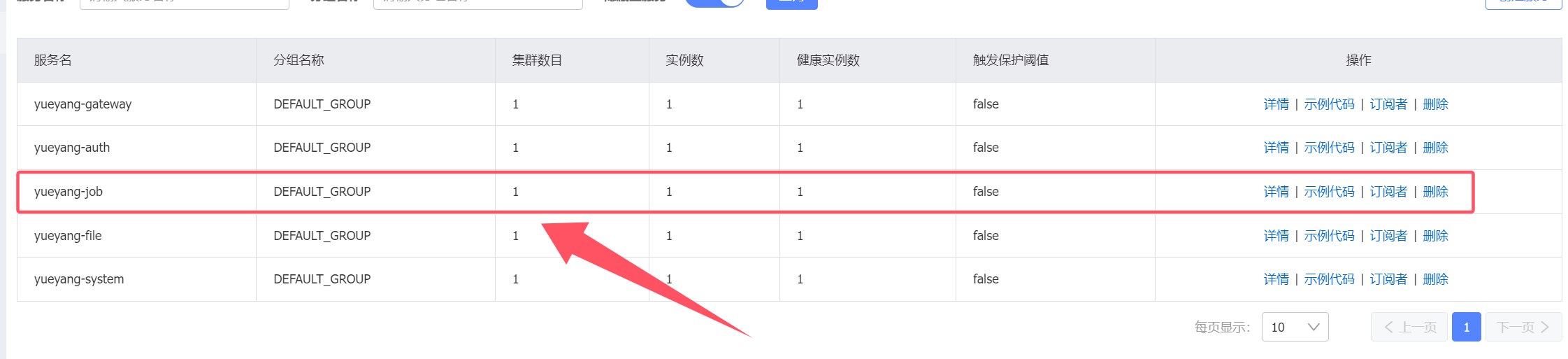
2. nacos 验证job模块是否注册成功
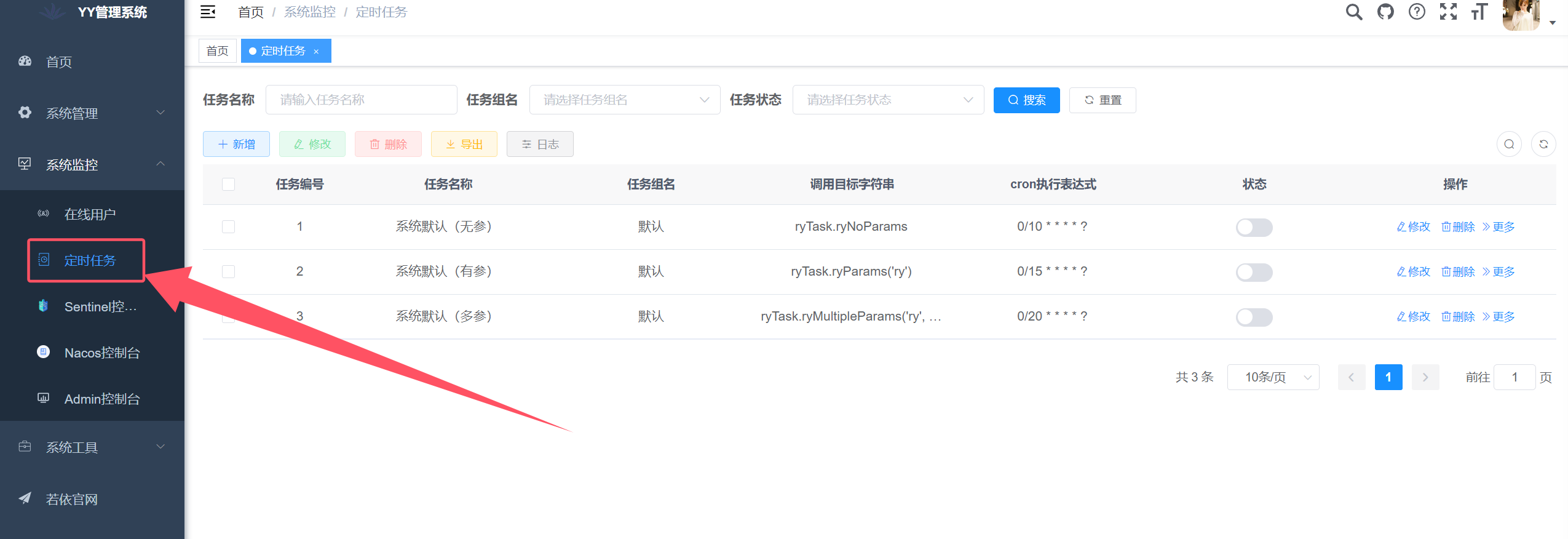
3. 若依前端界面查看定时任务模块是否加载成功
十二、部署gen 模块 1. 部署gen Pod 1 2 3 4 5 6 7 8 9 10 11 12 13 14 15 16 17 18 19 20 21 22 23 24 25 26 27 28 29 30 31 32 33 34 35 36 37 38 39 40 41 42 43 44 45 46 47 48 49 50 51 52 53 54 55 56 57 58 59 60 61 62 63 64 65 66 67 68 69 70 71 72 73 74 $ vim 22 -gen-deploy.yaml --- apiVersion: v1 kind: Service metadata: labels: app: yueyang-gen-deployment name: yueyang-gen-svc namespace: yueyang-cloud spec: ports: - port: 80 protocol: TCP targetPort: 80 selector: app: yueyang-gen-deployment type: ClusterIP --- apiVersion: apps/v1 kind: Deployment metadata: labels: app: yueyang-gen-deployment name: yueyang-gen-deployment namespace: yueyang-cloud spec: replicas: 1 selector: matchLabels: app: yueyang-gen-deployment strategy: { } template: metadata: labels: app: yueyang-gen-deployment spec: imagePullSecrets: - name: yueyang-image-account-secret containers: - env: - name: SPRING_PROFILES_ACTIVE valueFrom: configMapKeyRef: name: spring-profile-cm key: spring-profiles-active - name: JAVA_OPTION value: "-Dfile.encoding=UTF-8 -XX:+UseParallelGC -XX:+PrintGCDetails -Xloggc:/var/log/devops-example.gc.log -XX:+HeapDumpOnOutOfMemoryError -XX:+DisableExplicitGC" - name: XMX value: "1g" - name: XMS value: "1g" - name: XMN value: "512m" image: registry.cn-hangzhou.aliyuncs.com/hujiaming-01/gen:1.0.0 name: gen ports: - containerPort: 10030 resources: { }
1 2 3 4 5 6 7 8 9 10 11 12 $ kubectl create -f 22-gen-deploy.yaml service/yueyang-gen-svc created deployment.apps/yueyang-gen-deployment created $ kubectl get -f 22-gen-deploy.yaml NAME TYPE CLUSTER-IP EXTERNAL-IP PORT(S) AGE service/yueyang-gen-svc ClusterIP 10.96.21.87 <none> 80/TCP 39s NAME READY UP-TO-DATE AVAILABLE AGE deployment.apps/yueyang-gen-deployment 1/1 1 1 39s
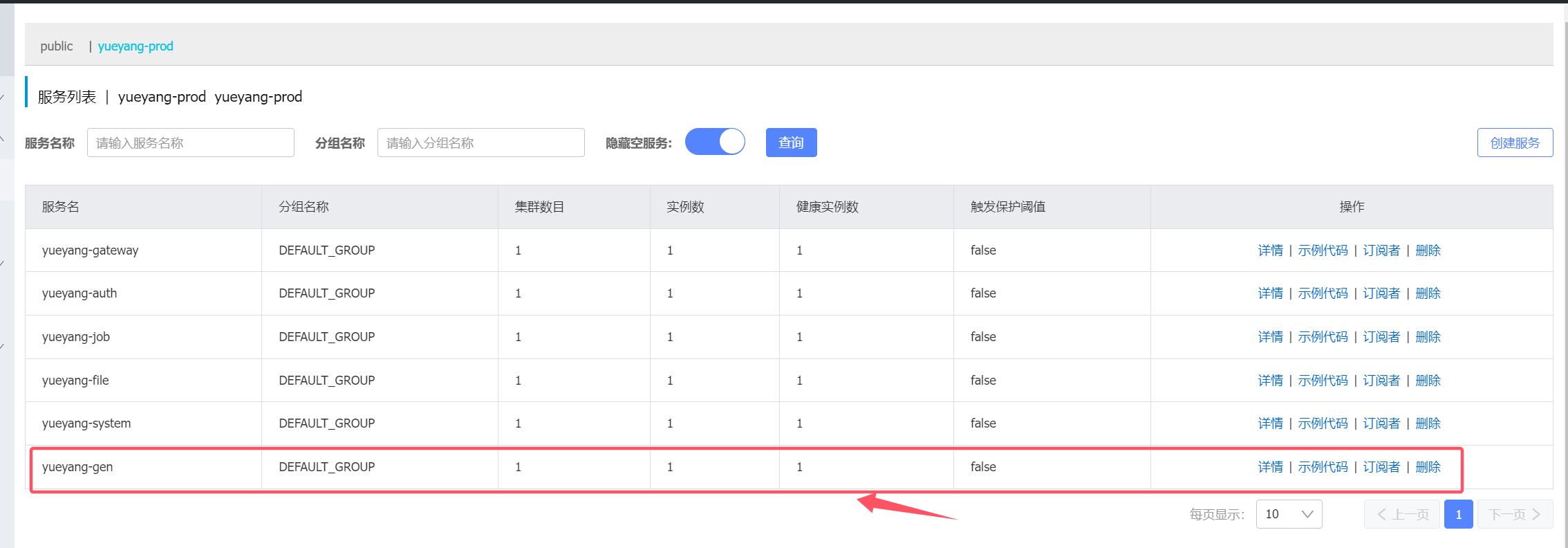
2. nacos 验证gen模块是否注册
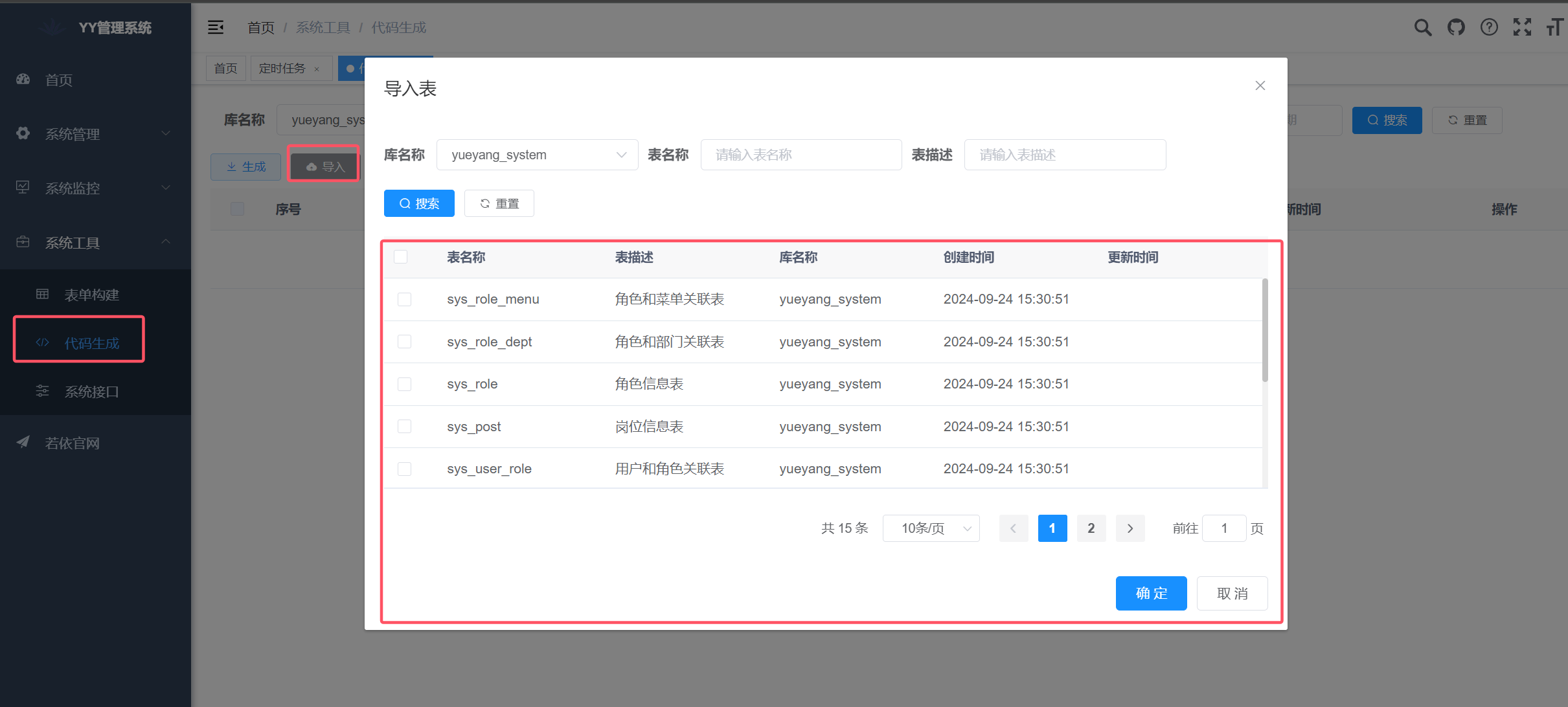
3. 若依前端验证代码生成模块是否可用
十三、部署monitor模块 1. 部署monitor Pod 1 2 3 4 5 6 7 8 9 10 11 12 13 14 15 16 17 18 19 20 21 22 23 24 25 26 27 28 29 30 31 32 33 34 35 36 37 38 39 40 41 42 43 44 45 46 47 48 49 50 51 52 53 54 55 56 57 58 59 60 61 62 63 64 65 66 67 68 69 70 71 $ vim 23 -monitor-deploy.yaml --- apiVersion: v1 kind: Service metadata: labels: app: yueyang-monitor-deployment name: yueyang-monitor-svc namespace: yueyang-cloud spec: ports: - port: 8088 protocol: TCP targetPort: 8088 selector: app: yueyang-monitor-deployment type: ClusterIP --- apiVersion: apps/v1 kind: Deployment metadata: labels: app: yueyang-monitor-deployment name: yueyang-monitor-deployment namespace: yueyang-cloud spec: replicas: 1 selector: matchLabels: app: yueyang-monitor-deployment strategy: { } template: metadata: labels: app: yueyang-monitor-deployment spec: containers: - env: - name: SPRING_PROFILES_ACTIVE valueFrom: configMapKeyRef: name: spring-profile-cm key: spring-profiles-active - name: JAVA_OPTION value: "-Dfile.encoding=UTF-8 -XX:+UseParallelGC -XX:+PrintGCDetails -Xloggc:/var/log/devops-example.gc.log -XX:+HeapDumpOnOutOfMemoryError -XX:+DisableExplicitGC" - name: XMX value: "1g" - name: XMS value: "1g" - name: XMN value: "512m" image: registry.cn-hangzhou.aliyuncs.com/hujiaming-01/monitor:1.0.0 name: monitor ports: - containerPort: 8088 resources: { }
1 2 3 4 5 6 7 8 9 10 11 12 $ kubectl create -f 23-monitor-deploy.yaml service/yueyang-monitor-svc created deployment.apps/yueyang-monitor-deployment created $ kubectl get -f 23-monitor-deploy.yaml NAME TYPE CLUSTER-IP EXTERNAL-IP PORT(S) AGE service/yueyang-monitor-svc ClusterIP 10.96.120.182 <none> 8088/TCP 47s NAME READY UP-TO-DATE AVAILABLE AGE deployment.apps/yueyang-monitor-deployment 1/1 1 1 47s
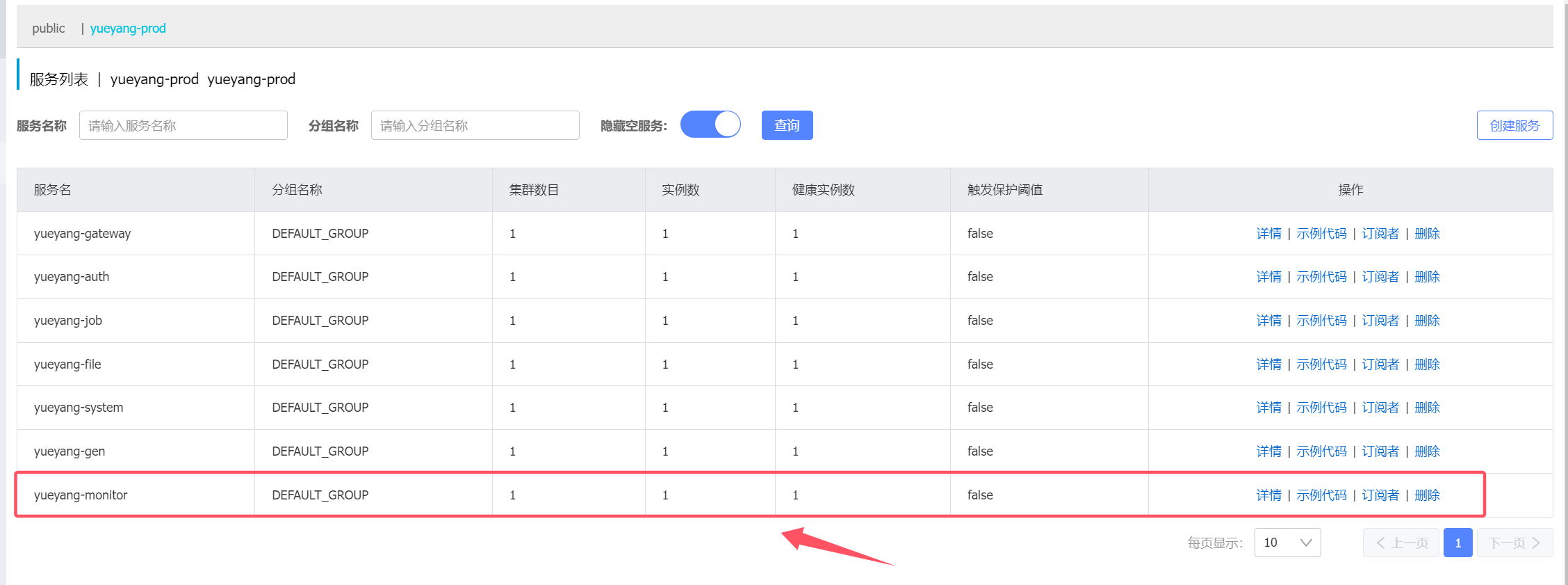
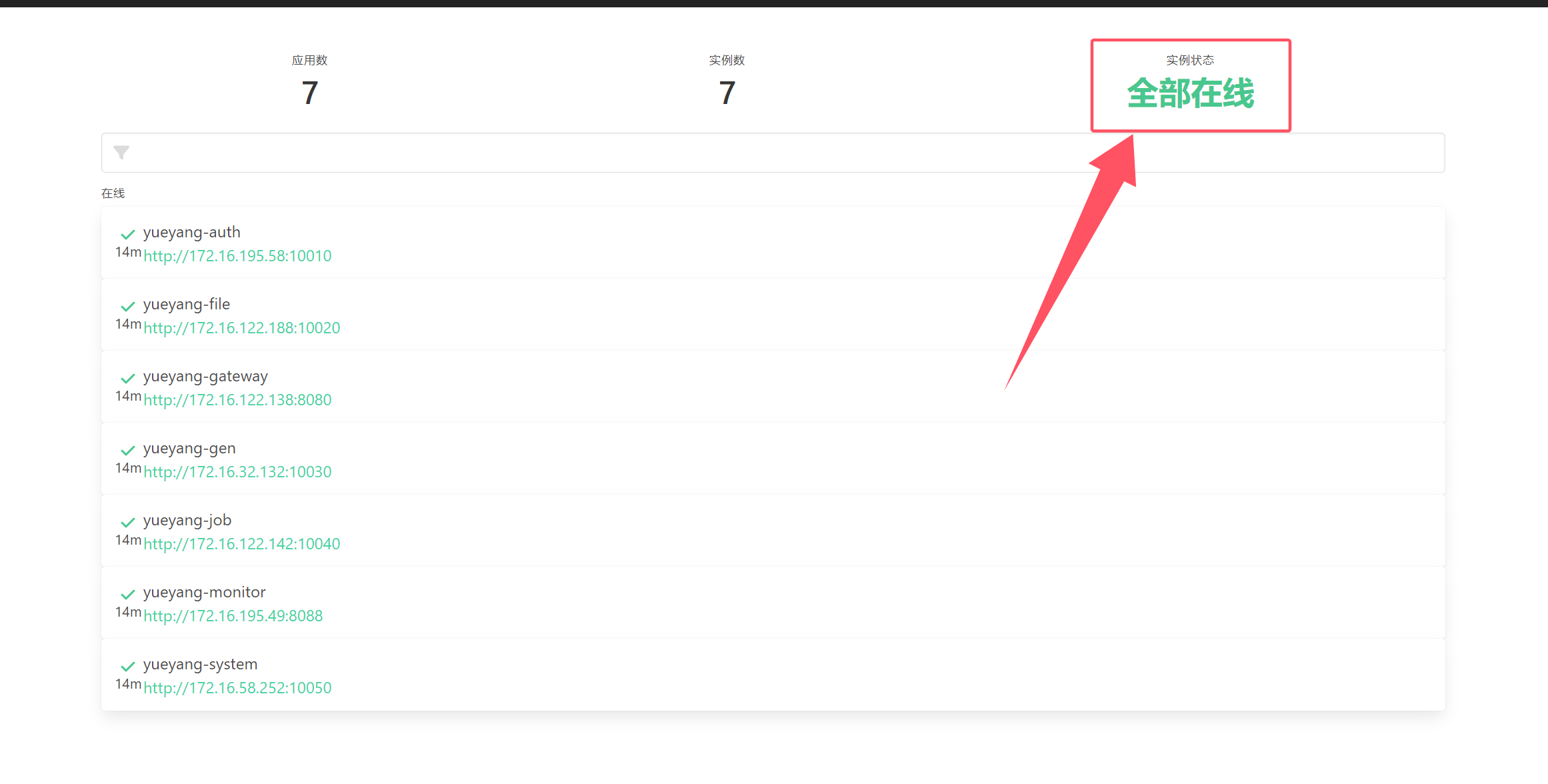
2. nacos 验证monitor 是否注册
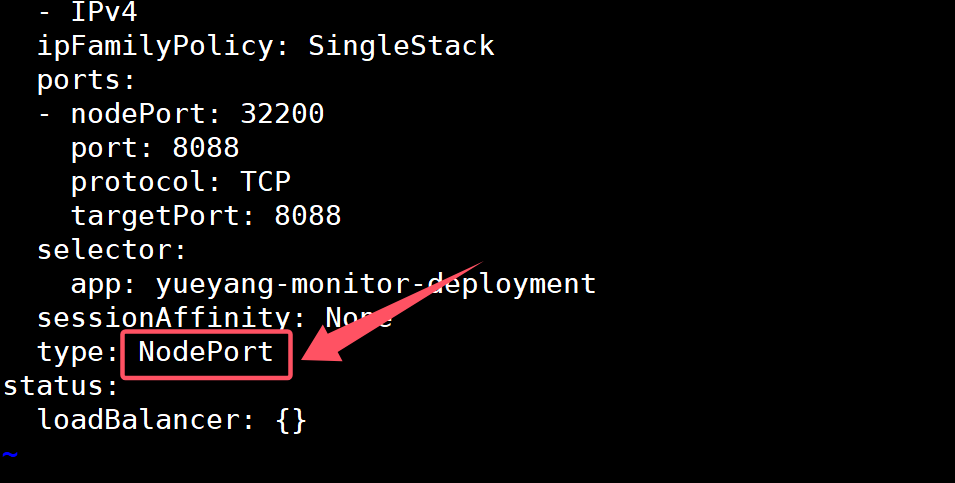
3. 设置svc NodePort类型 暴露monitor服务 1 2 $ kubectl edit svc yueyang-monitor-svc -n yueyang-cloud
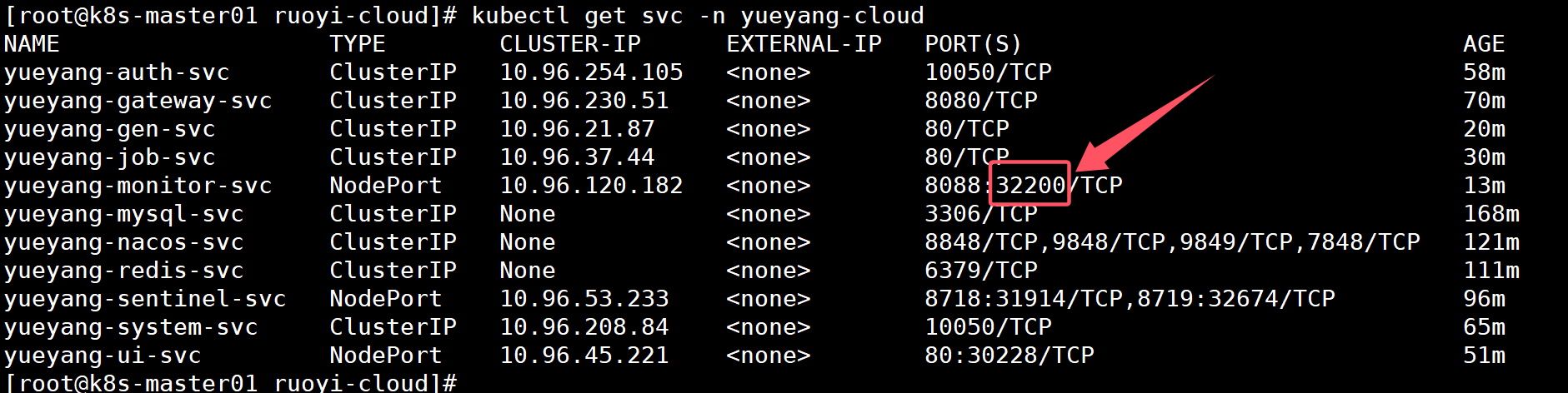
1 2 $ kubectl get svc -n yueyang-cloud
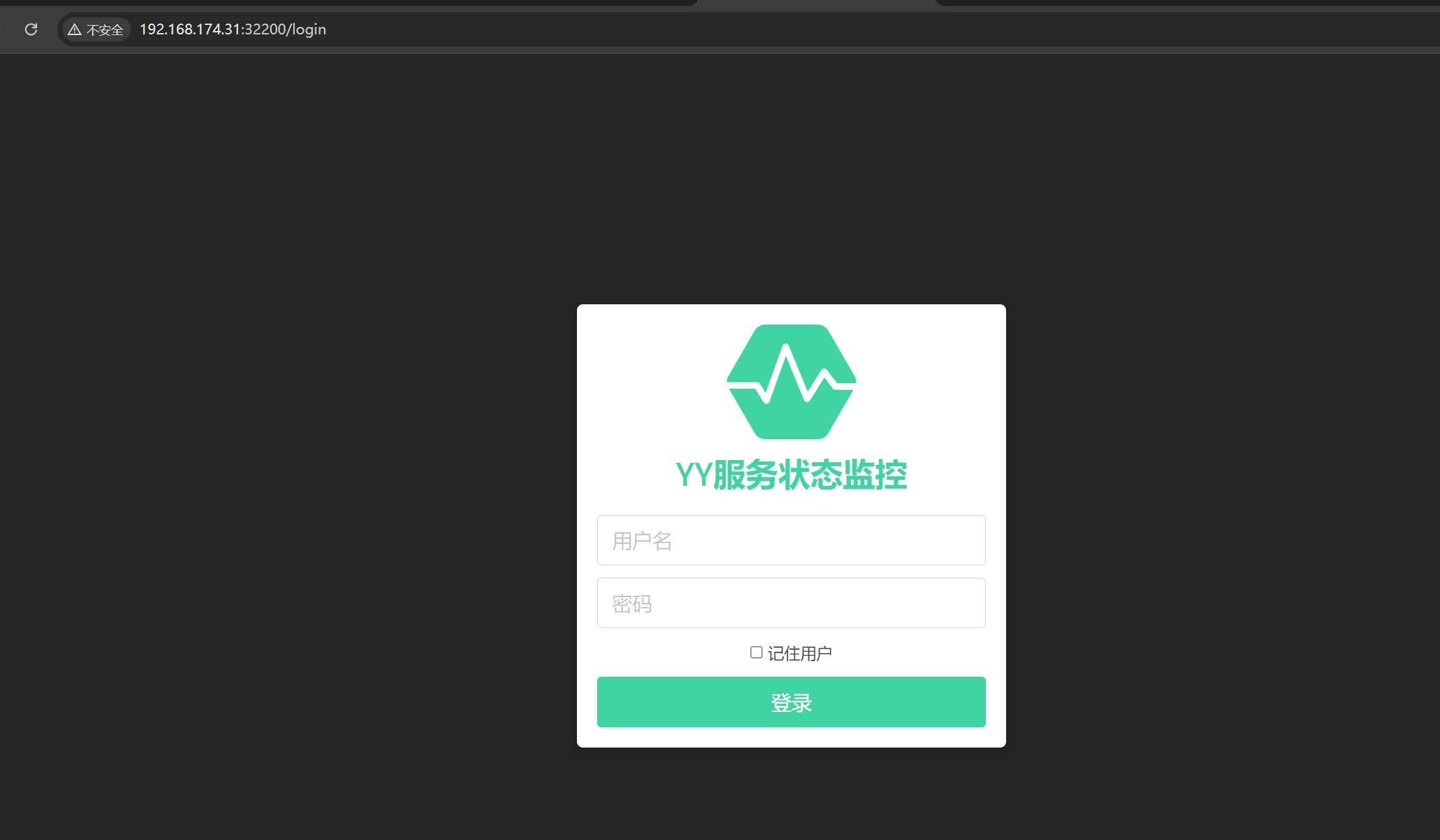
浏览器访问:http://192.168.174.30:32200
用户名:xiaohh 密码:123456










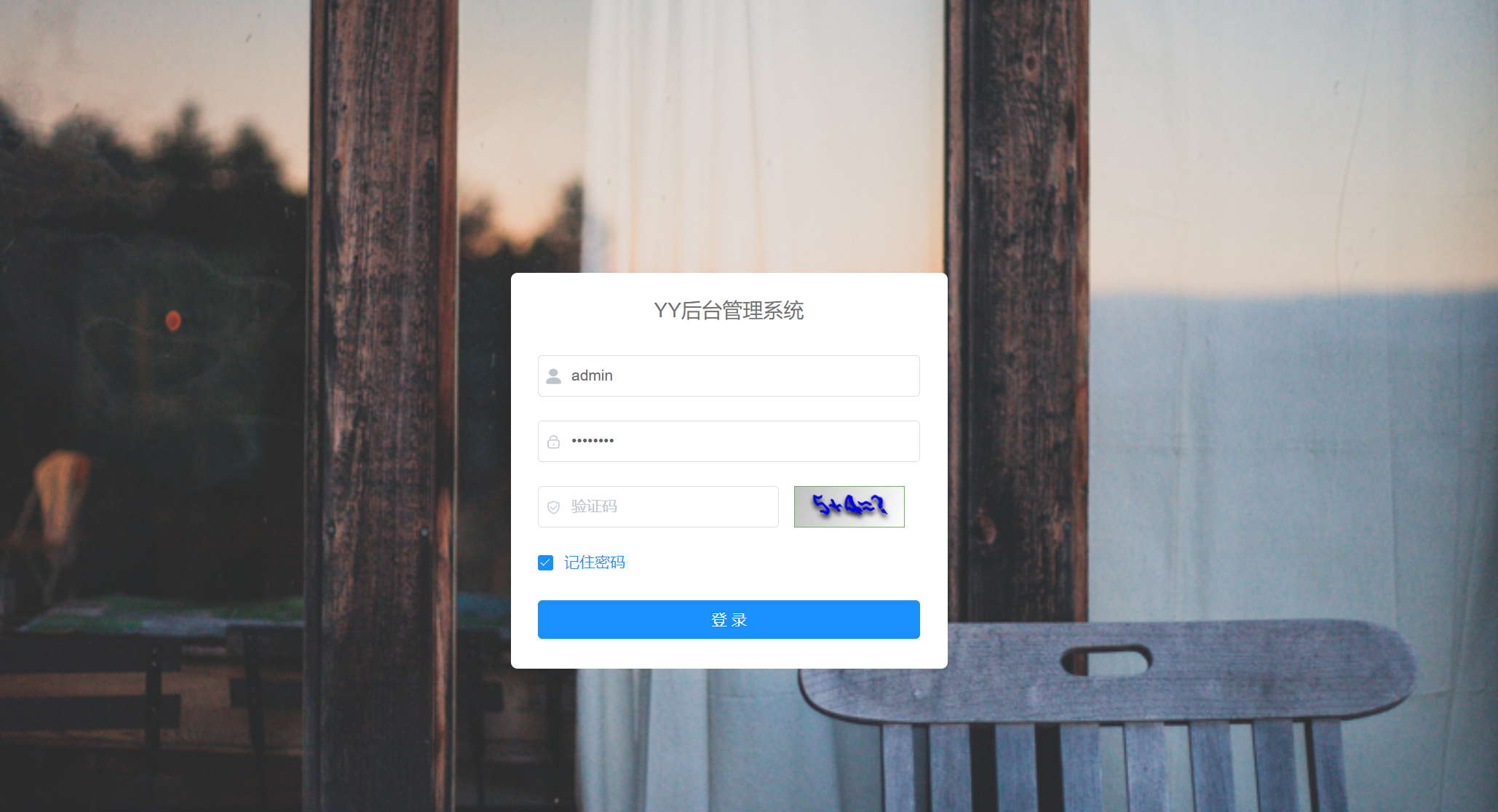



/02-Kubernetes容器编排工具部署(adm)/1.png)
/kubernetes 二进制高可用安装部署(v1.23+)/1.png)